Chrome - Enable Spell Check
To activate the spellcheck in Chrome, please open the Customize Menu (1) and click on Settings (2). Under You and Google (3) select Sync and Google services (4), scroll down and activate Enhanced spell check (5). 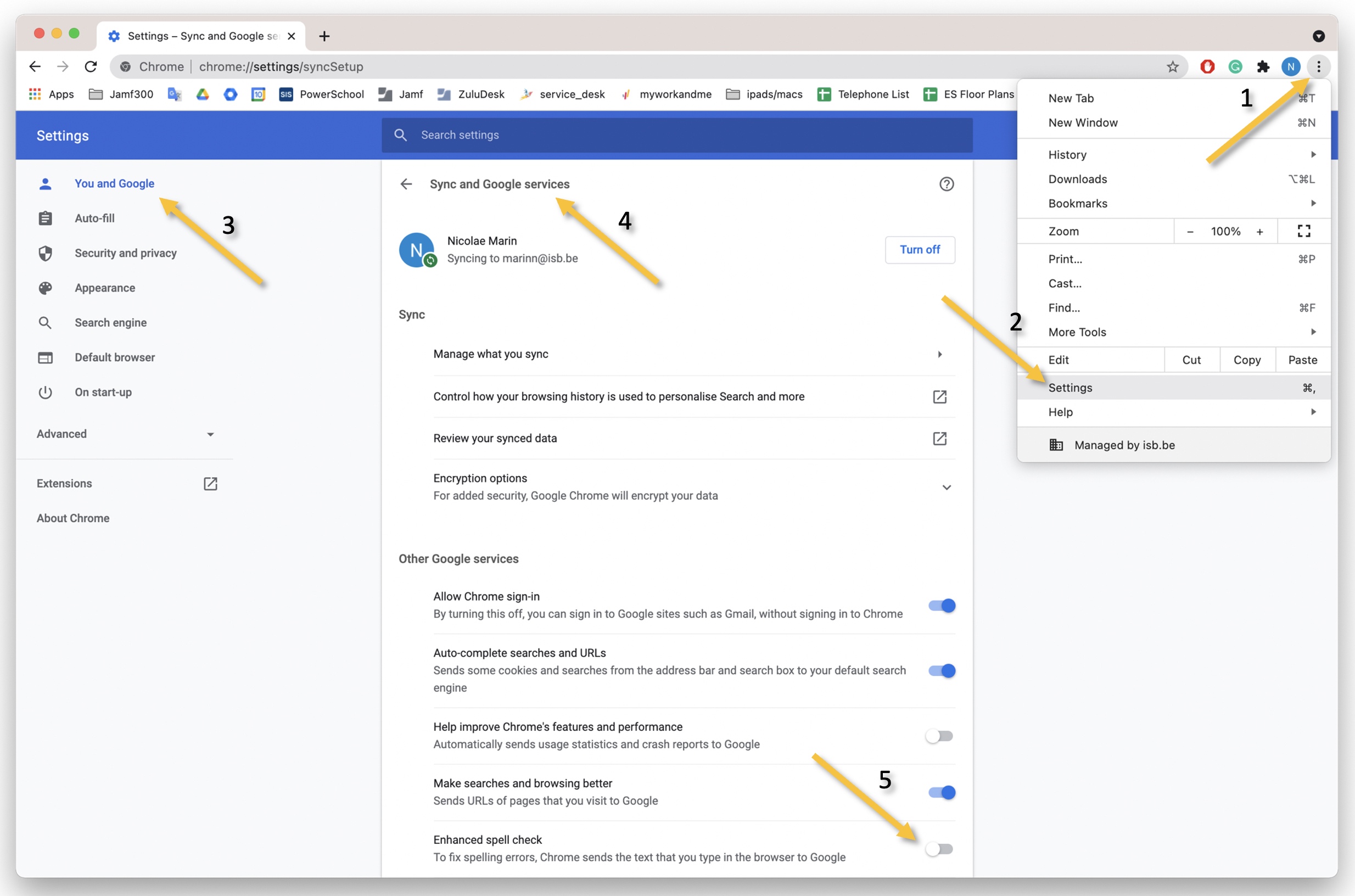
To activate the spellcheck in Chrome, please open the Customize Menu (1) and click on Settings (2). Under You and Google (3) select Sync and Google services (4), scroll down and activate Enhanced spell check (5).