# Setting Up Zoom for Students
To make sure your camera, microphone and screen sharing works on your computer, please follow the next steps.
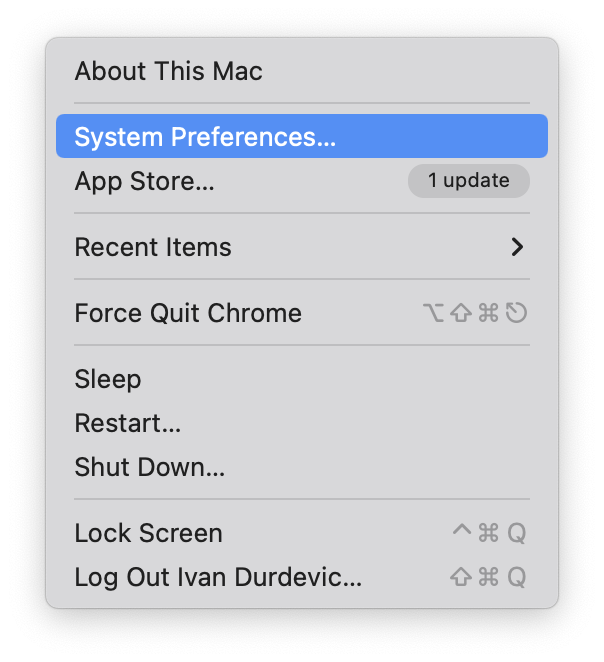
**1.** On your computer, open **System Preferences**. You can do so by clicking on the Apple logo in the top-left corner of your screen, and select System Preferences from the manu.
[](https://docs.isb.be/uploads/images/gallery/2021-11/aIx4LrQI3y8IE7Pz-image-1637308840628-00-34.png)
[](https://docs.isb.be/uploads/images/gallery/2021-11/tVNEY1kEkHzeYwHK-image-1637308420872-50-22.png)
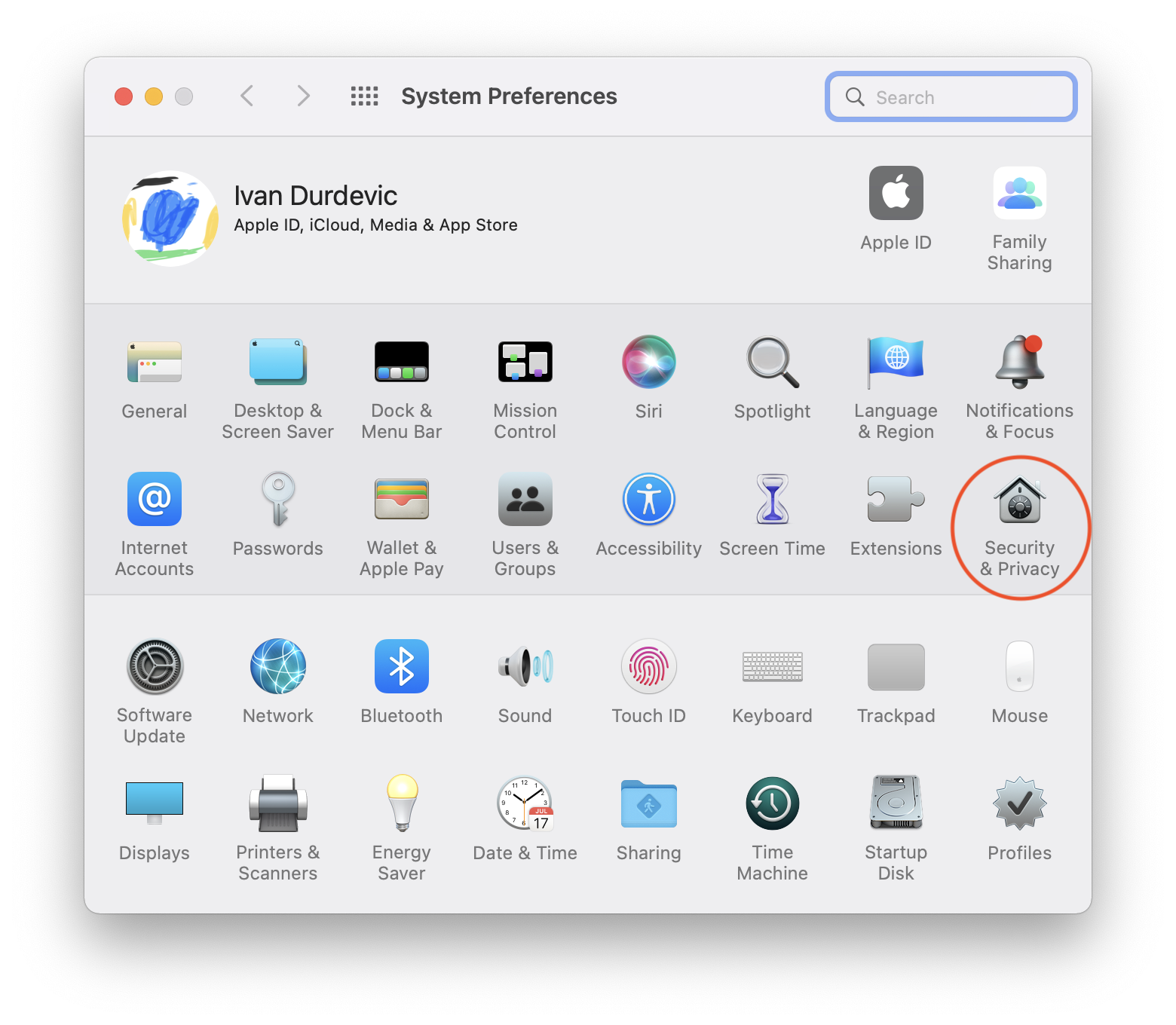
**2.** Once opened, head out to **Security & Privacy**.
[](https://docs.isb.be/uploads/images/gallery/2021-11/5cNjOhe4Egy9u5MX-image-1637308503994-48-44.png)
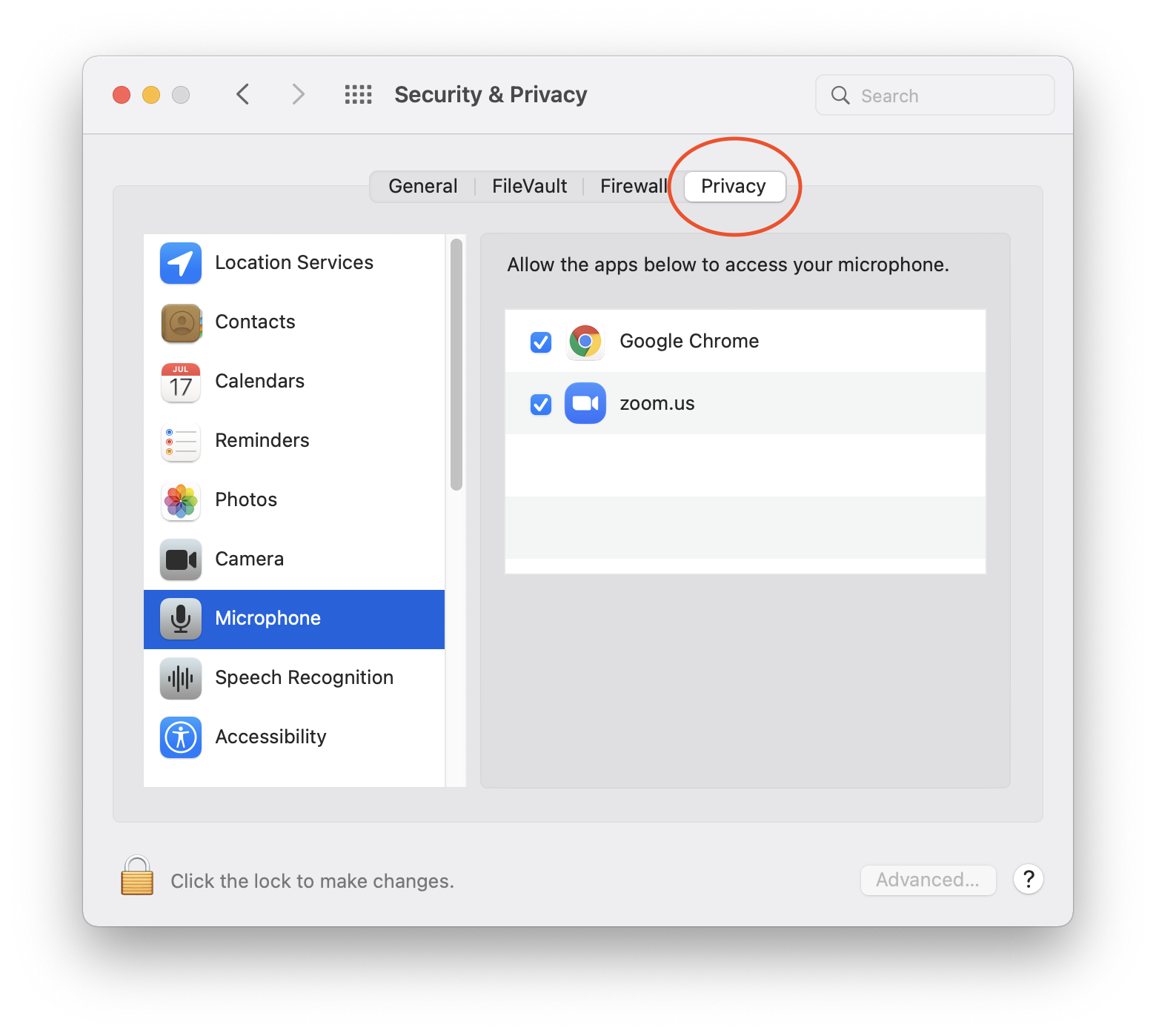
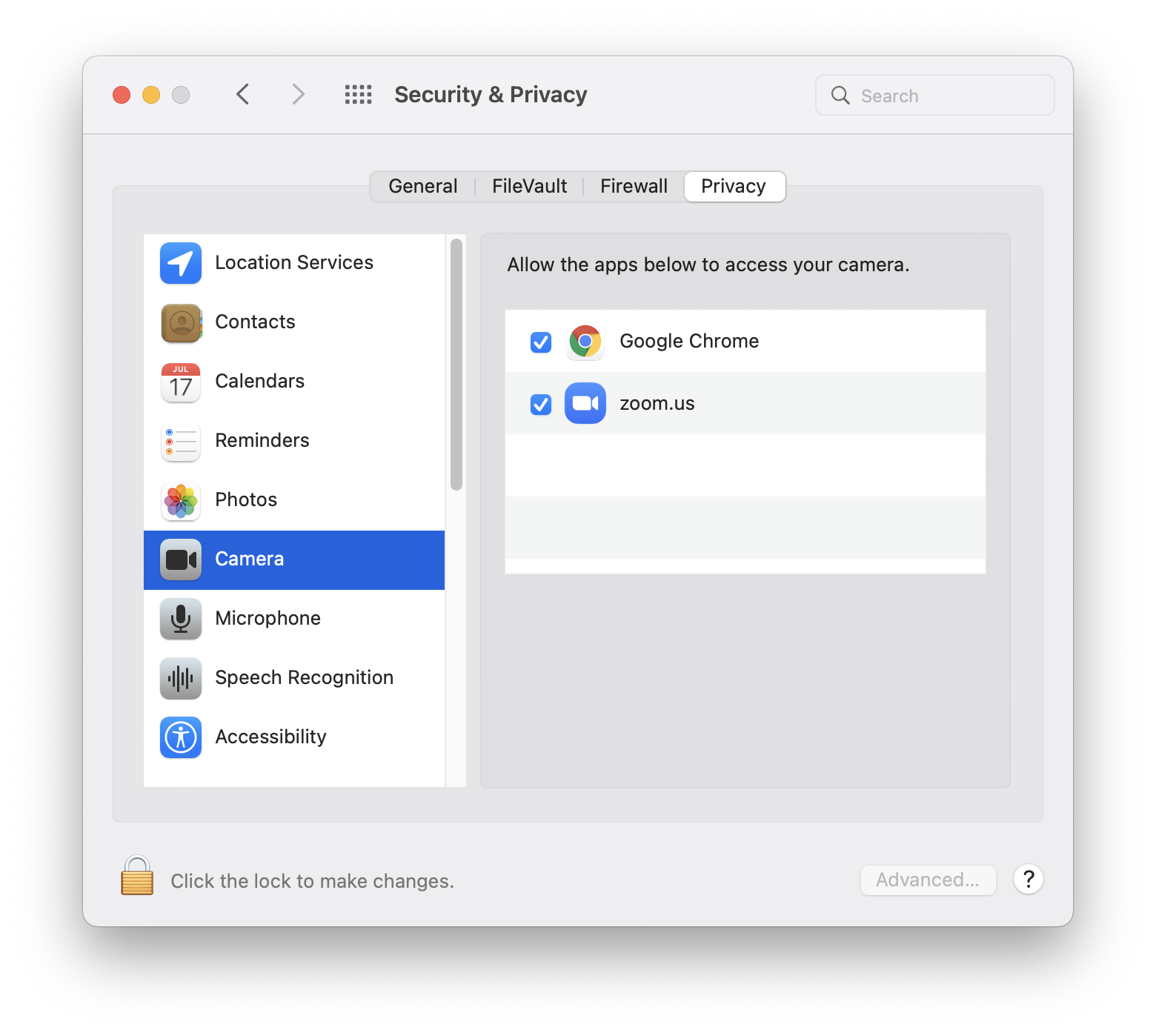
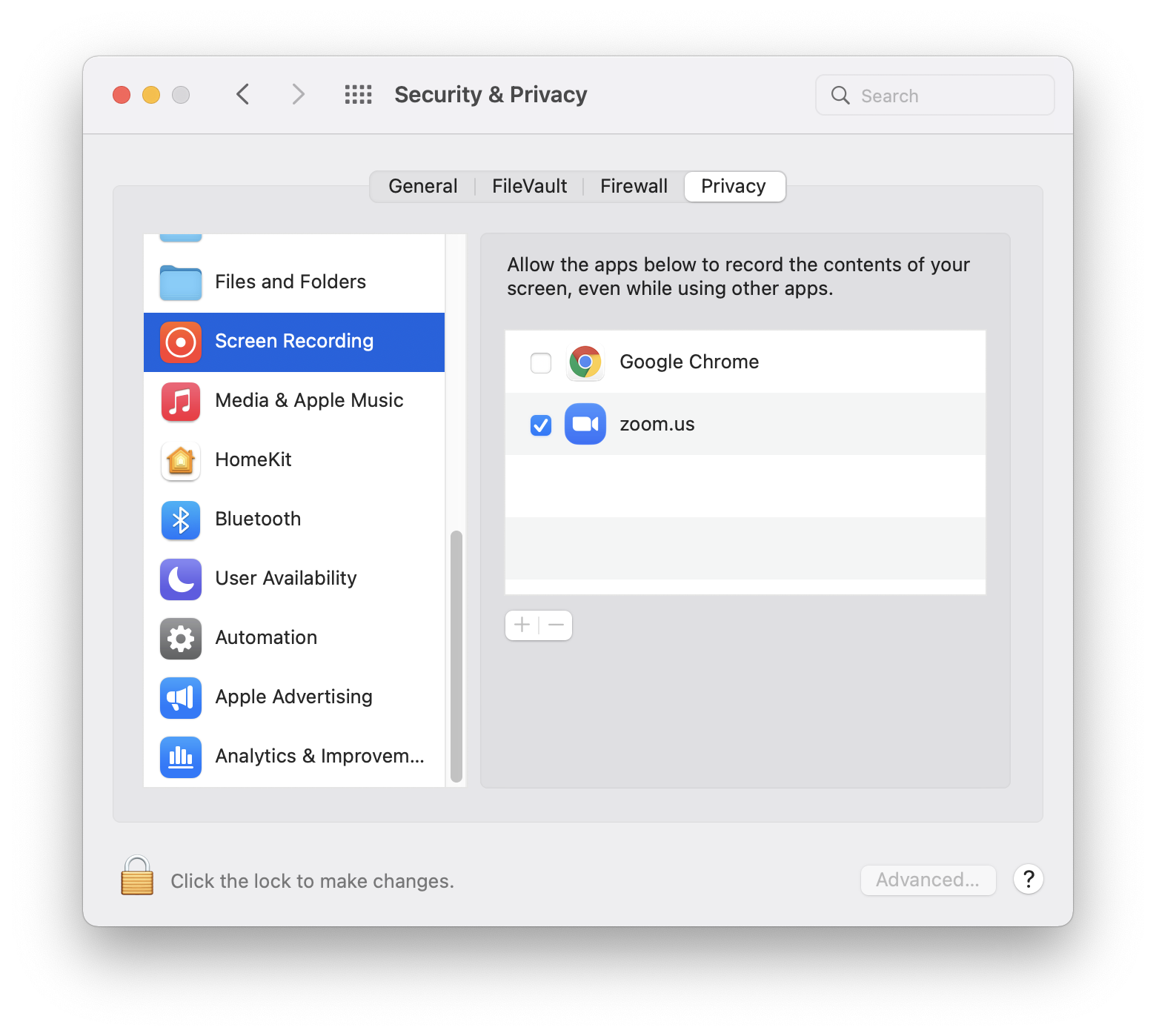
3\. Make sure to select **Privacy tab**, and in the column on the left, we will have to go through Microphone, Camera and Screen Recording, making sure the **Zoom app has the blue checkmark** next to it.
[](https://docs.isb.be/uploads/images/gallery/2021-11/XJWIrBWcR5aoNmXY-image-1637308636418-49-00.png)
[](https://docs.isb.be/uploads/images/gallery/2021-11/JJCEqXRZIorShr95-image-1637308770130-49-06.png)
[](https://docs.isb.be/uploads/images/gallery/2021-11/LeYGopMGmI32UoBl-screenshot-2021-11-19-at-08-49-12.png)
Now you can close the System Preferences, and your Zoom app will have all the features you need.
Congratulations!