# XeroX-Paparcut Missing on Windows? Install it from \\paper
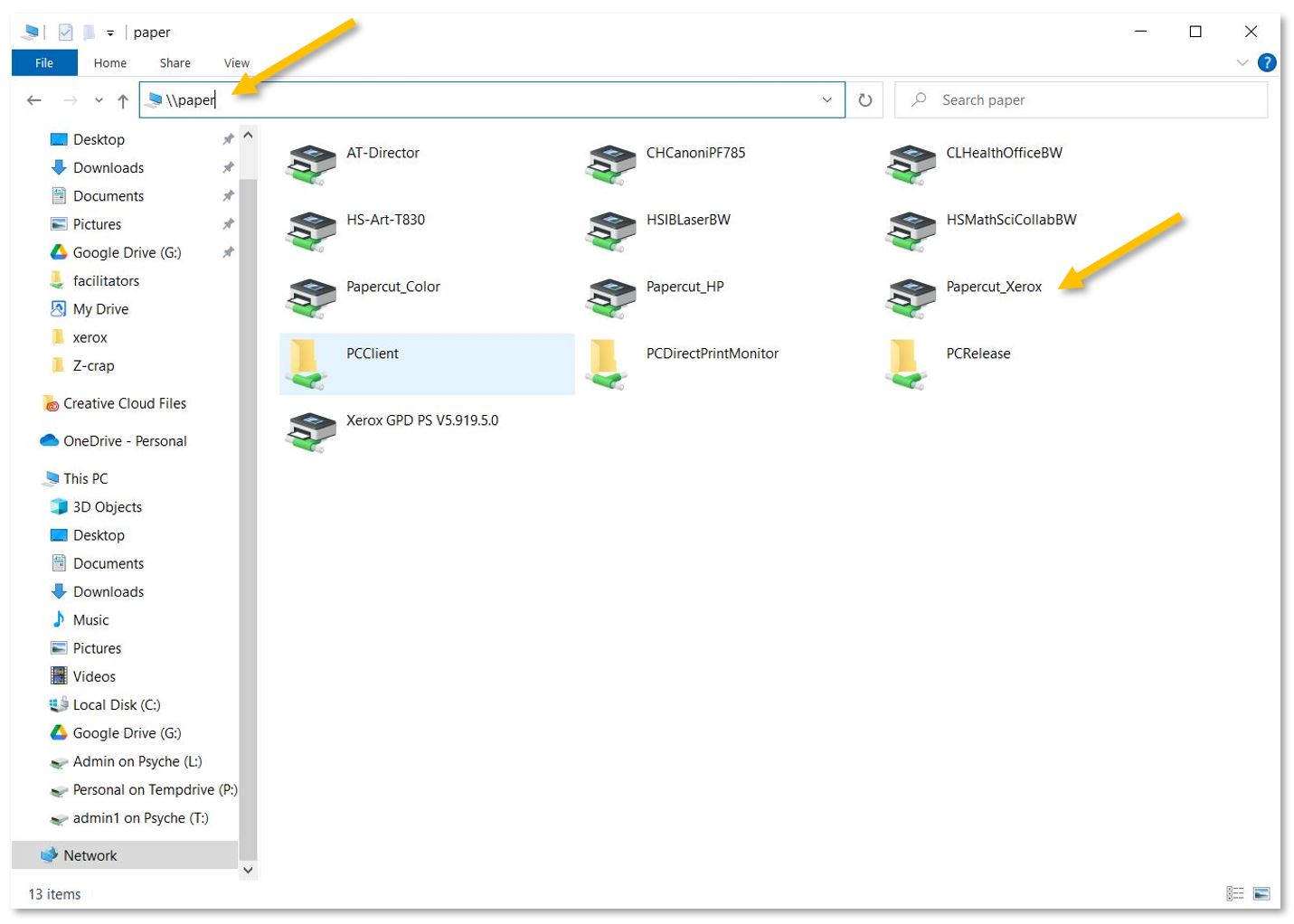
If you cannot find the new XeroX-Papercut printer in your list of printers, please open a folder and copy-paste [\\\\paper](file://paper) into the location field. Press enter and double-click Papercut\_Xerox from the list of printers to install it.
[](https://docs.isb.be/uploads/images/gallery/2023-11/MuEo4GQtIa5gmyfN-installprinterwindows.JPG)
Reopen the print menu and select Papercut\_Xerox from the list of printers.