Use two Google accounts at the same time
Open
Use two Google accounts at the same time
Chrome user’sprofiles menuare bythe clickingsafest onway to keep your ISB account and personal Google account separate.
Recommended method: Chrome profiles
Open Chrome.
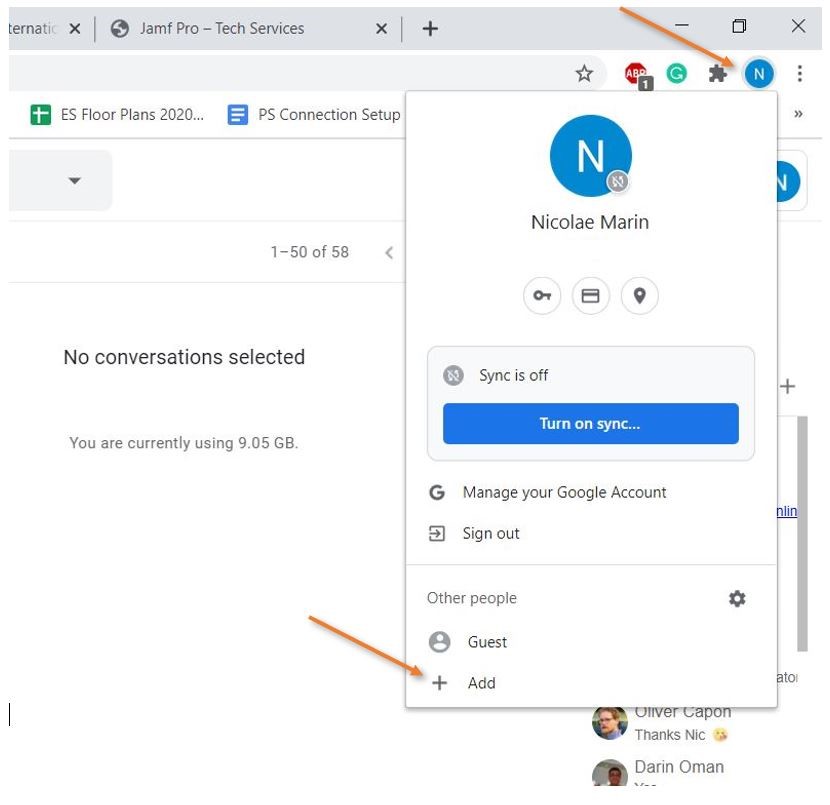
Select your profile picture in the
upper-top-right
cornercorner.
andSelect clickAdd onor +Add Add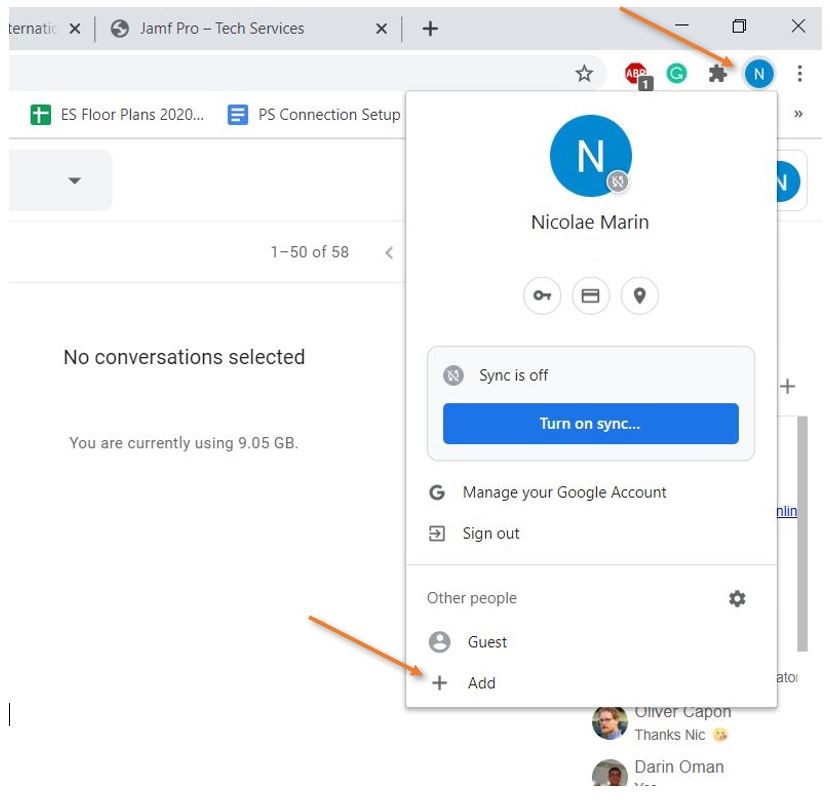
Inprofile.
Sign in with your ISB Google account.
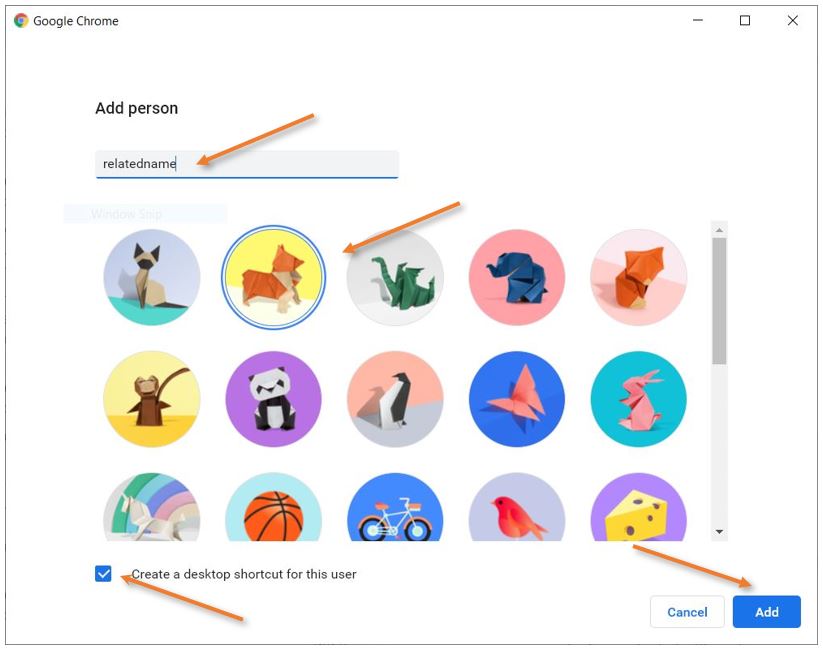
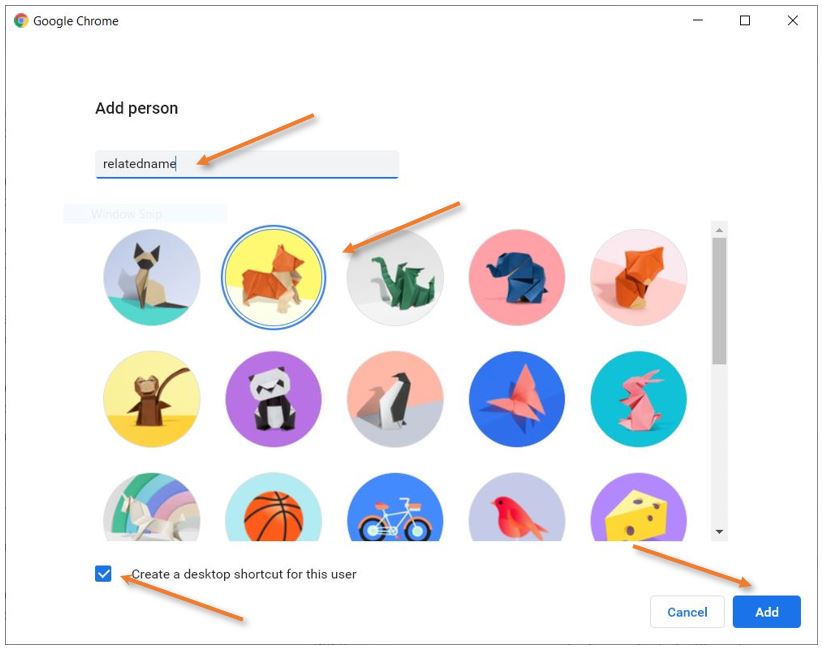
Give the
new window that pops up, addprofile a
nameclear forname, thesuch newas account,ISB.
it can be anything, select one of the cute icons, and mark “Create a desktop shortcut for this user.” Add, and you are ready to go.
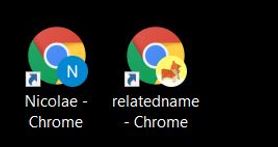
On your desktop, you should now find 2 shortcuts
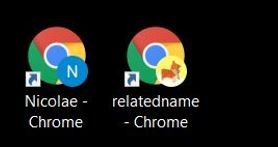
Use the firstISB oneprofile for school Gmail, Drive, Docs, Sheets, Slides, and Google Meet.
Important
Check the profile picture before creating or sharing a file.
Do not store school documents in a personal Drive.
Do not share confidential school information with
youra primary work email (you are already logged in) and the second for your secondary work email. You’ll have to go to https://accounts.google.com/signin/v2, for example, and sign in. Chrome will remember which email you used for whichpersonal account.
You
canAudience: haveEveryone
bothLast activereviewed: at[add thedate]
sameOwner: time.ISB YouIT
can also pin both to the start bar or the dock.