Zoom Setup
1.
Click here to Update or install Zoom or install via the Self-Service Portal (ISB Logo)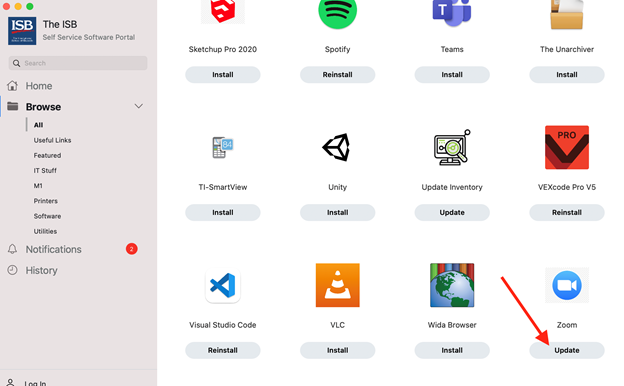
2.
Once installed, go to System Preferences and select Security & Privacy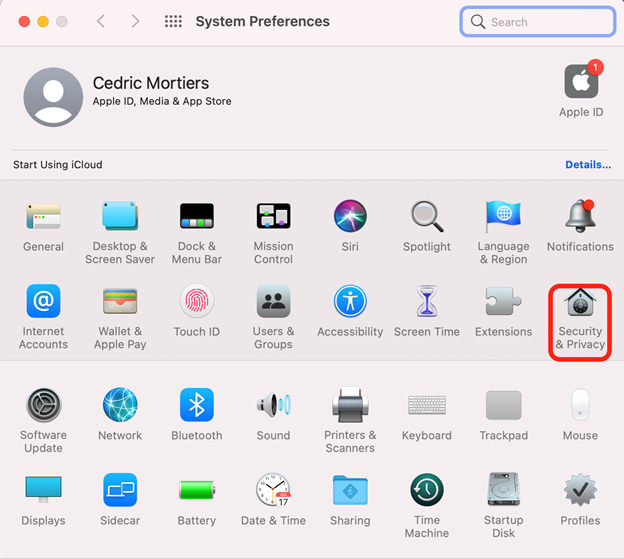
3.
Then click on Privacy, Microphone and make sure that zoom.us is ticked. (this needs to be done to be able to mute your microphone)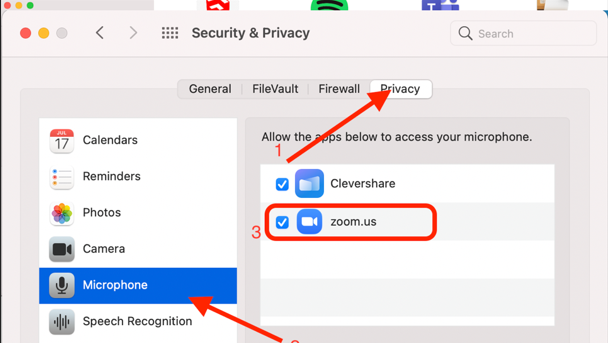
4.
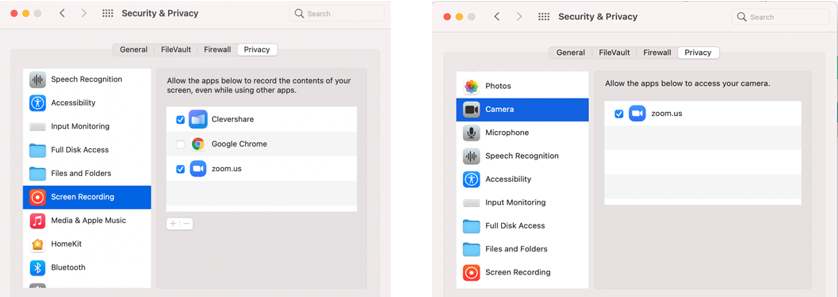
Do the same thing for the Screen Recording and the Camera settings. (This will allow you to share your screen)