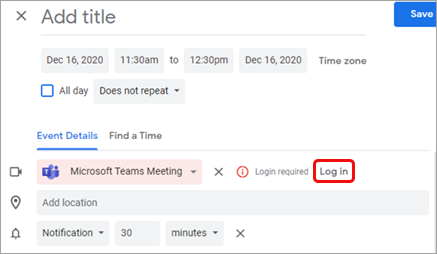
Schedule a Teams meeting
If you are here for a refresher, please jump directly to the Google calendar schedule options.
If this is the first time scheduling a Teams meeting, please continue reading.
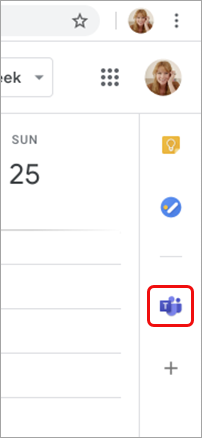
In your Google calendar, openplease ensure the Teams add-on is present in the right panel and select the plus sign.panel.
If the panel is hidden, select the chevron at the bottom of the screen to show it.
The Google Workspace Marketplace opens.Enter teams in the search field and select the Microsoft Teams meeting add-on.
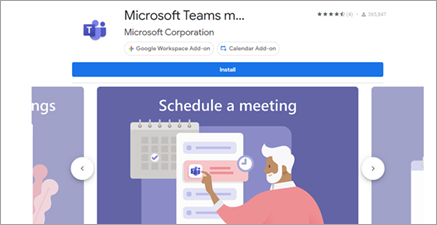
Select Install and then select Continue on the permission screen.Select a Google account on the next screen.
The Teams meeting add-on appears in the sidebar.
LogIf inyou tohave never used the Teams add-on.on before, please click on it, log in, and Authorize Access.InRefresh yourthe Googlewebpage calendar,if selectneeded.
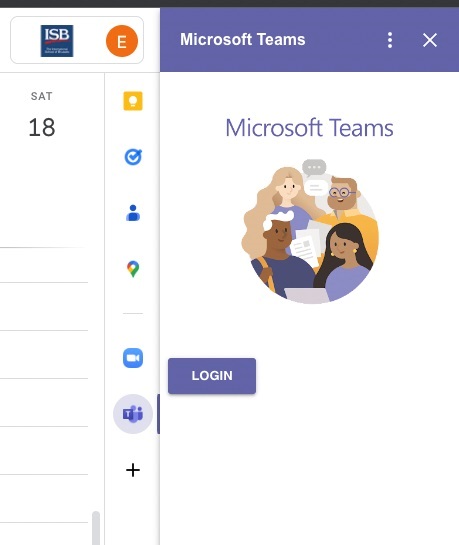
If you cannot find the Teams add-on.Selectaddon Logon inthe andright thenpanel, selectplease Authorizefollow Access.this how-to to install it.