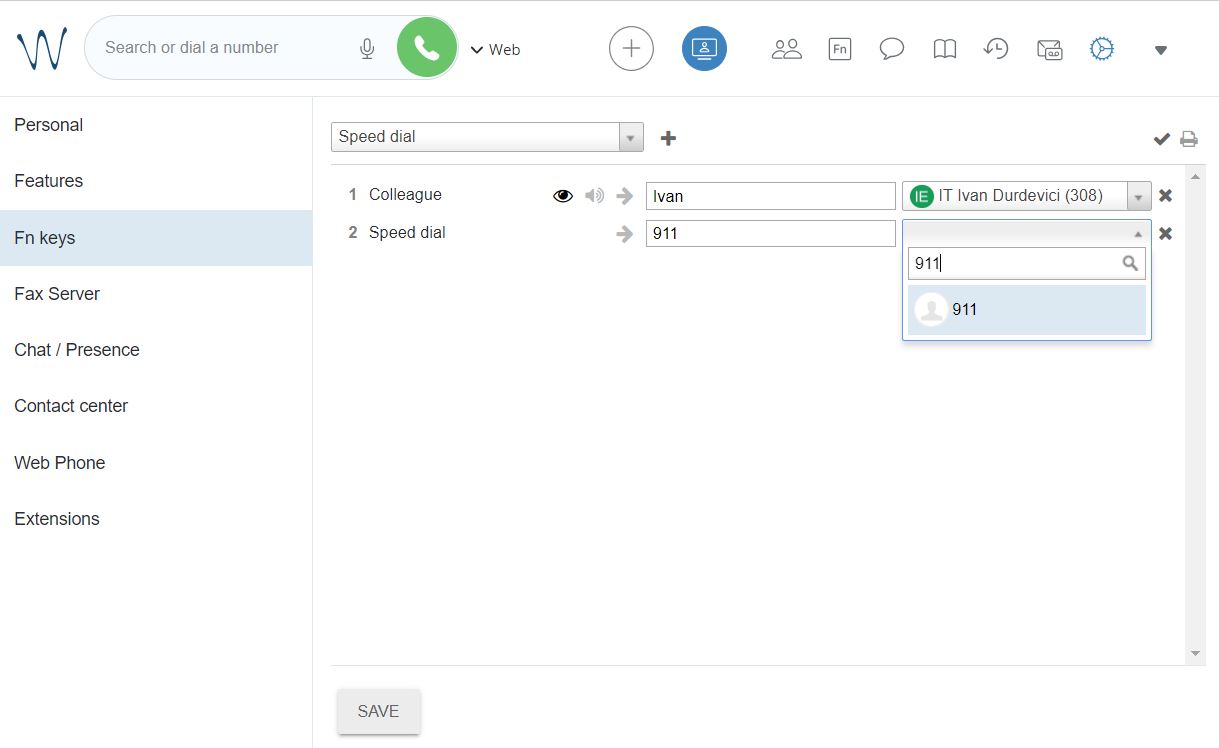
Setup the function keys (speed dial)
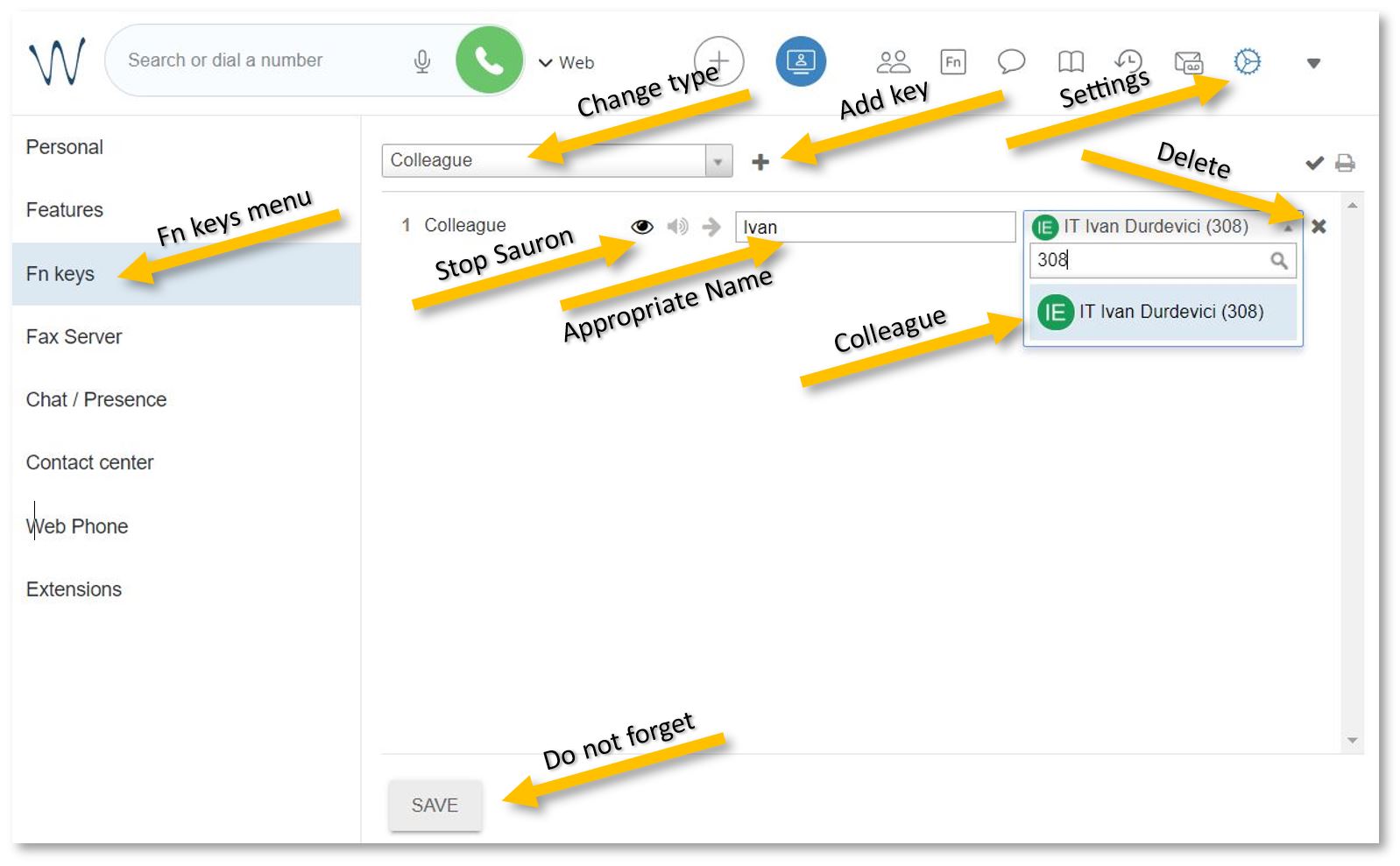
If you want to configure the white buttons adjacent to the phone screen, open https://isb2.wildixin.com/collaboration/ login and go to settings. Select the Fn keys menu from the left panel.
You can remove Line 1 and 2 - the default setup - and add a Colleague.
Change the type of function to Colleague, add an appropriate name (it will be visible on the phone), and search by name or input the extension. Do not forget to click on the eye to stop the notifications from popping up every time your colleague is on a call, and to press Save at the end.
If you want to add a non-colleague phone number, change the type to Speed dial, add an appropriate name, and the number. Do not forget to press Save.