Clevershare error - not connecting - fix

First,If, pleaseafter makeyou suretry thatto connect, encounter the Mac,spinning thewheel Interactiveof Display,death and the playerapp (Youtube,never VLC)starts are not on mute. If all are good:

In 90% ofsharing the casesscreen forcingplease follow the appunderneath steps to close and reopen fixesfix the problem.problem:

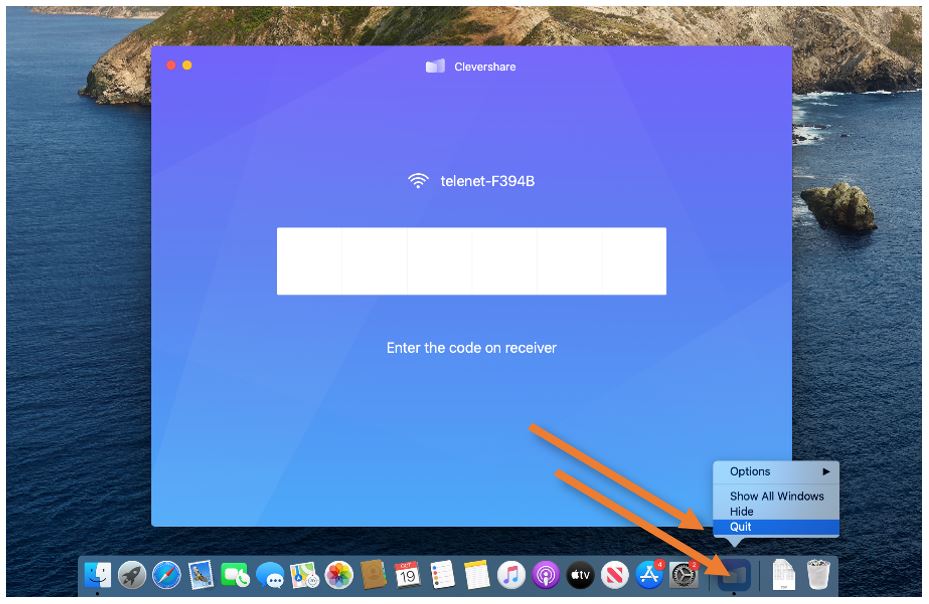
Right-click (click with 2 fingers, or press and hold Control while clicking) the Clevershare icon in your Dock and select Quit from the contextual menu that appears. Then, reopen the app, reconnect, and test again.


quit_clevershare.JPG

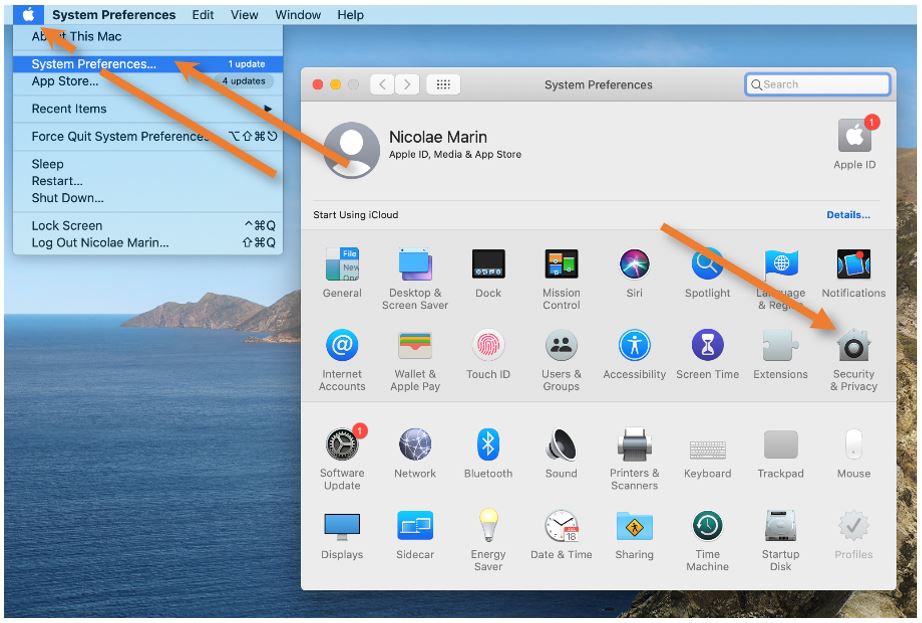
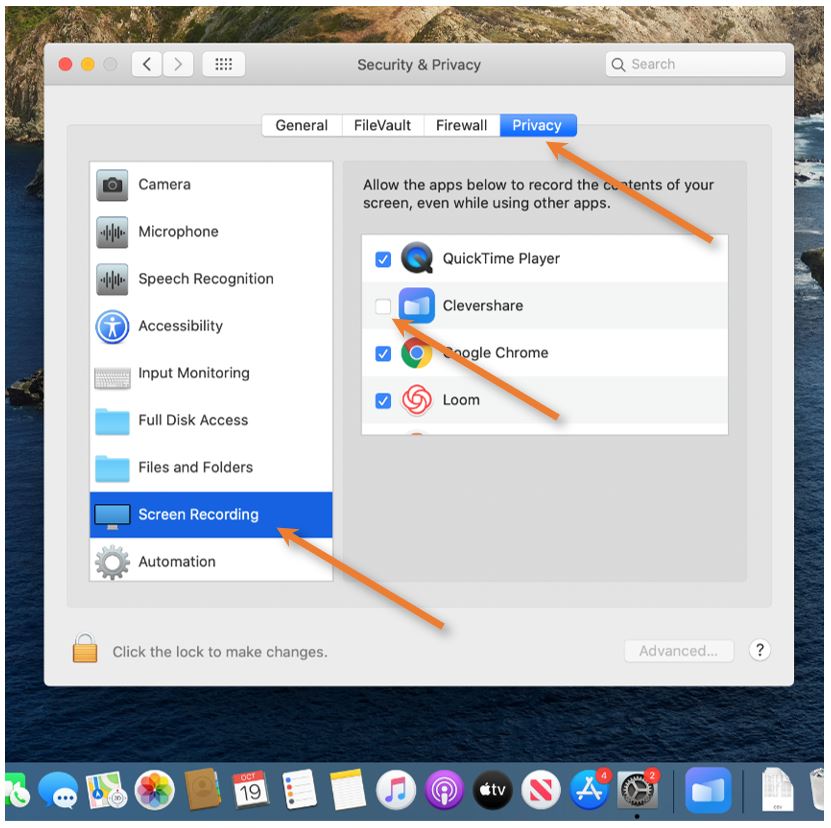
If the sound is still not going through, Quit Clevershare one more time, and openOpen the System Preferences menu from the Apple symbol in the upper-left corner. In the window that pops up select the Security & Privacy menu. Click on the Privacy tab and find the MicrophoneScreen Recording option on the side. Either check or Remove and check back the tick next to Clevershare. You may have to unlock this menu by clicking on the lock in the lower-left corner. 

Reopen the Clevershare app and reconnect - thenow sound problemsyou should now be gone.able to connect to the screen.


Please note that the app does not record your screen, it just needs the function to clone and send the image to the Interactive Display.

open_security&privacy.JPG sound.JPGscreen.JPG