
Connect to ISB (we are deprecating the Mac network)
We are going to remove the Mac wireless network in a couple of days.
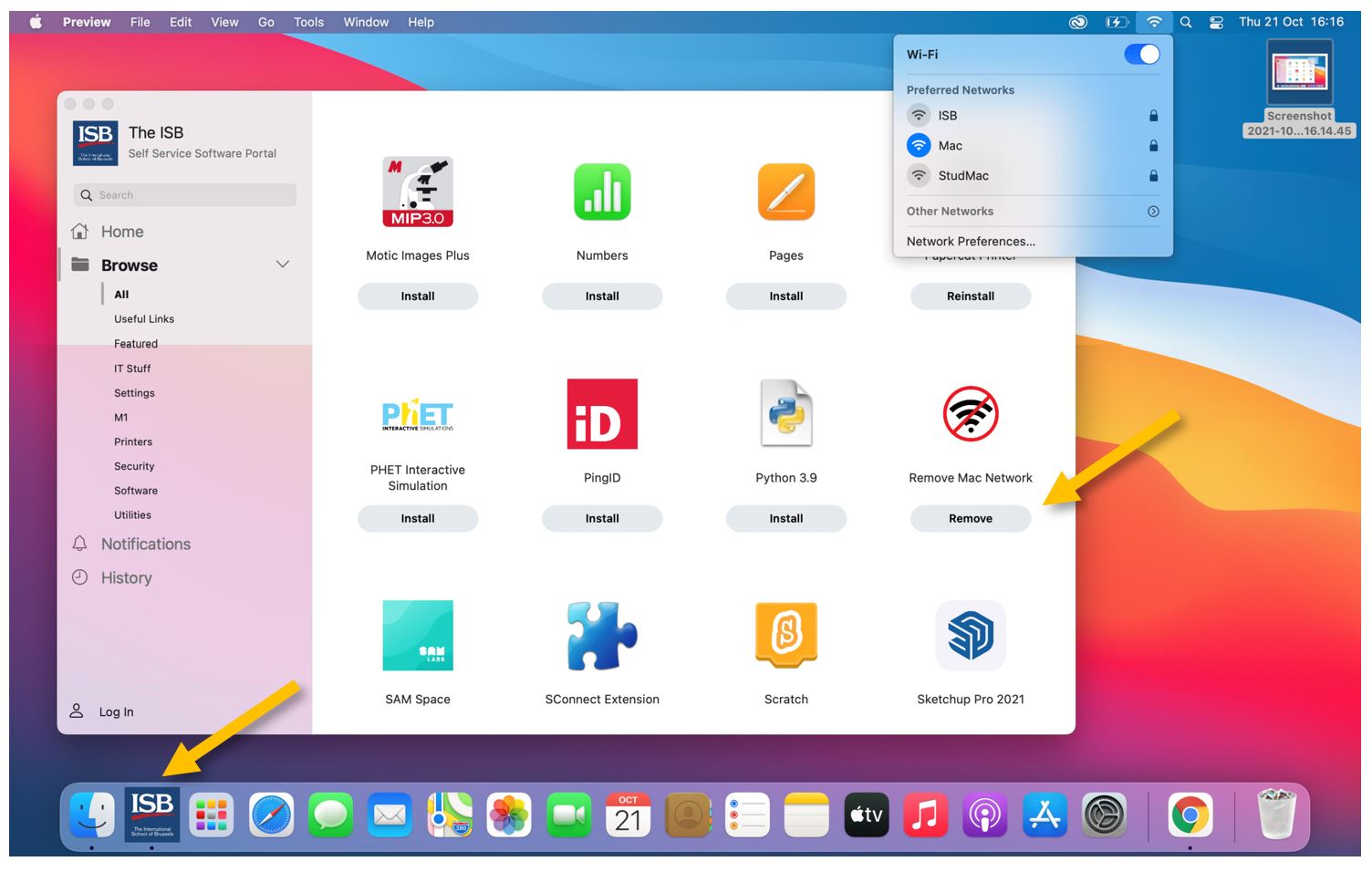
If you are still connected to Mac, please follow these simple 1-2 steps to change to ISB.
Open Self Service, find the Remove Mac Network icon, and press Remove. The script usually takes 10-15 seconds to finish, and, in the end, your Mac should automatically connect to ISB. ‘Remove’ will change to ‘Remove again.’
If your computer fails to connect to the ISB network please stop by the IT office.