
Forwarding calls to your mobile
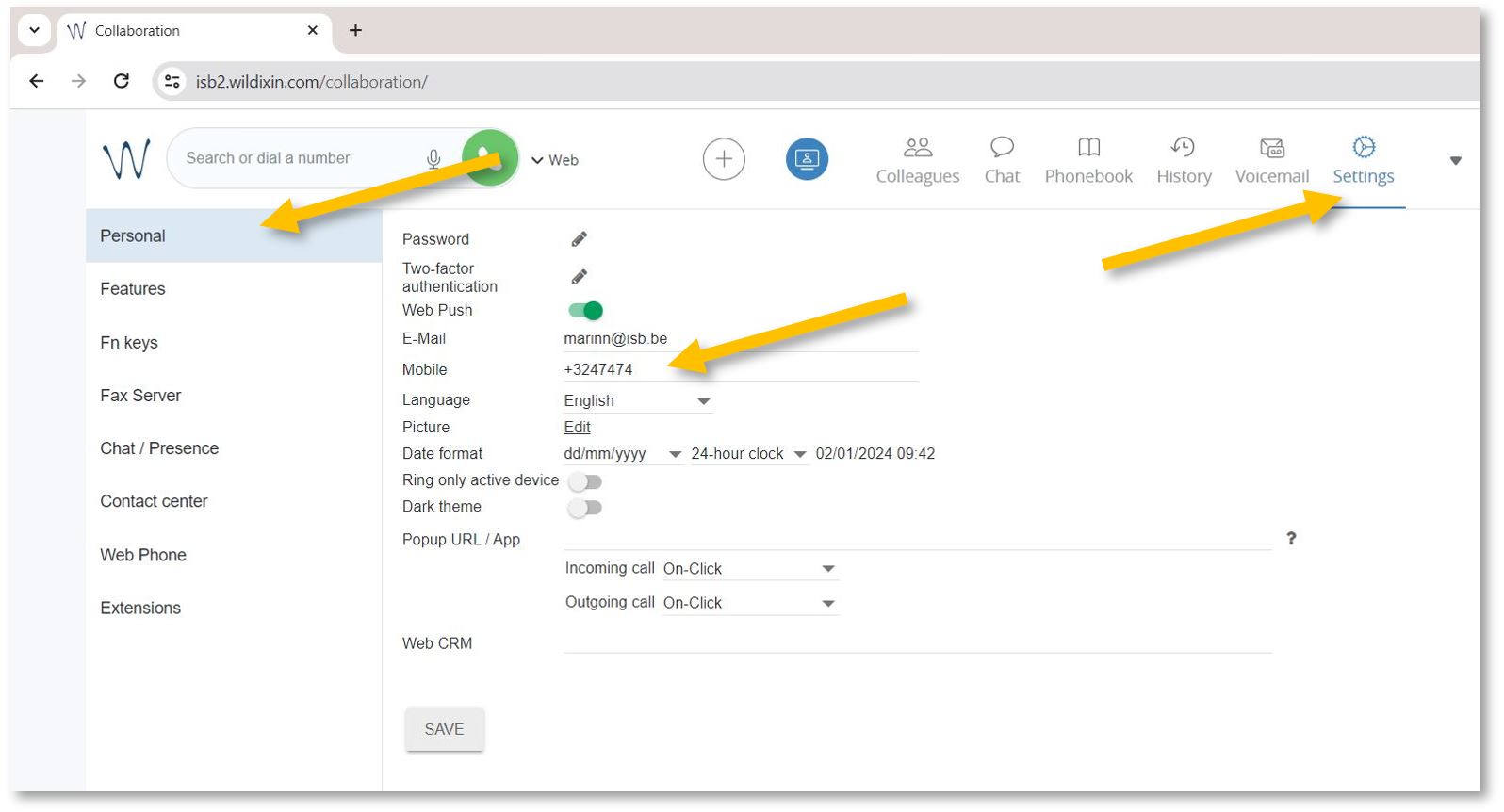
To activate the forwarding function, open https://isb2.wildixin.com/collaboration/ login and go to settings.
Under Personal, add your mobile phone. +32 format
Then select the Features tab,tab and activate the Internal Class, and Enable mobility with timeout. In the example underneath, the default (10) was changed to 2, meaning that after 2 seconds, the mobile phone and the computer (if logged in to Wildix) will also ring.
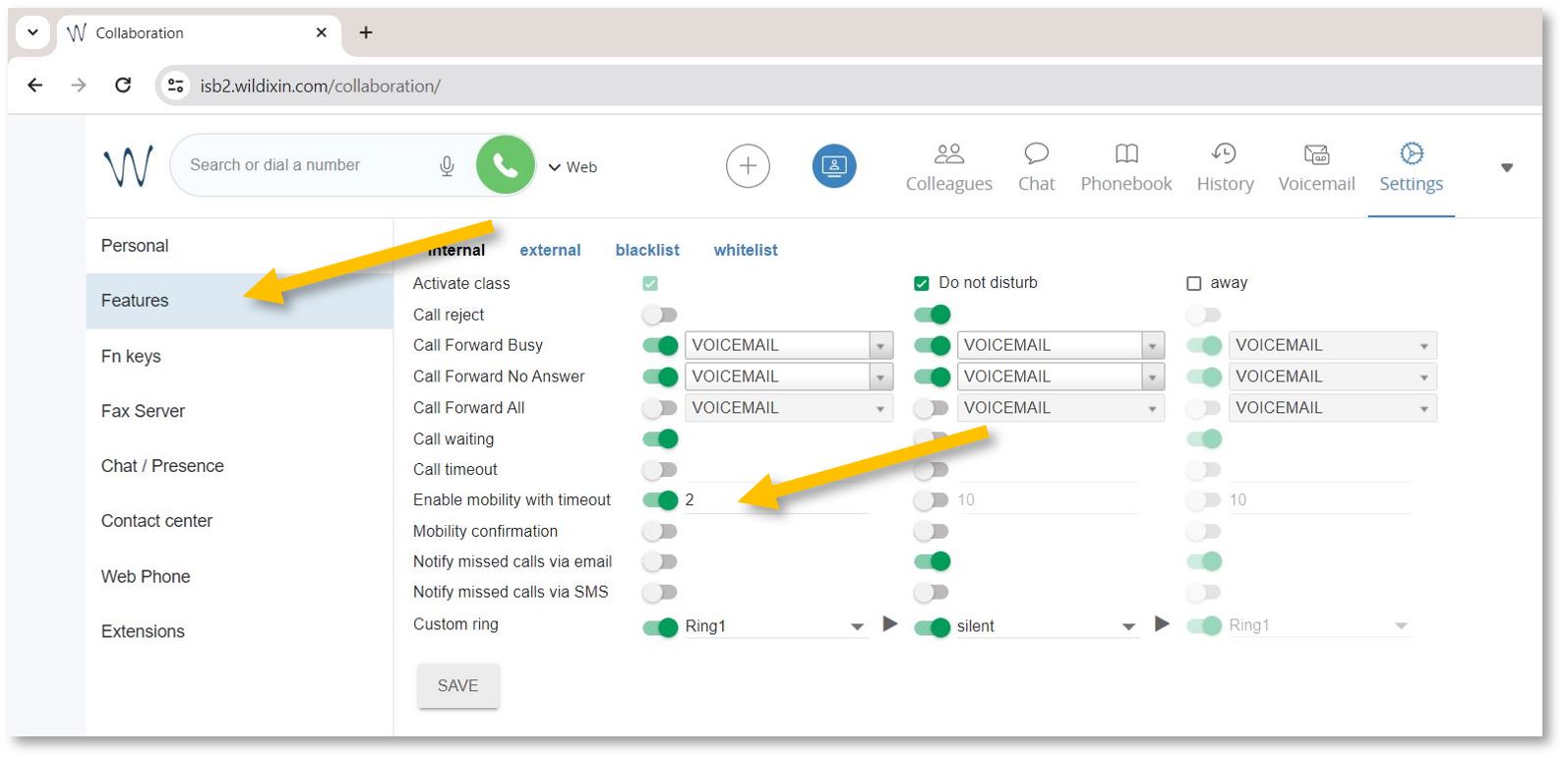
If you want to forward external calls - please click on externalexternal, Activate calls, and activateEnable itmobility inas the same wayabove - or as needed.

You are now ready to go.