Forward calls when away
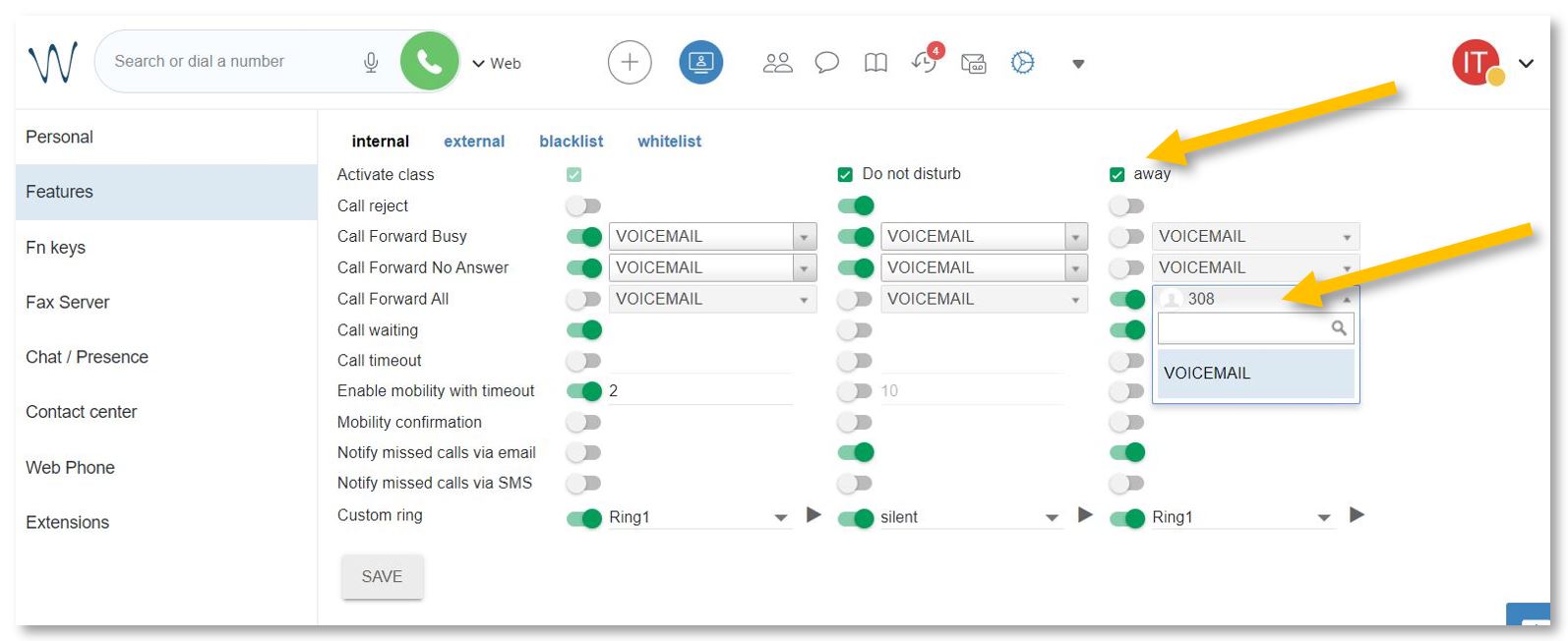
To activate the forwarding function while away from your office or on vacation, open https://isb2.wildixin.com/collaboration/ login and go to settings.
Select the Features tab and activate the away class. Turn on Call Forward All and choose the destination. If Voicemail is selected, everybody who calls will be redirected to your voicemail; input an extension or even your mobile phone, and all your calls will be forwarded to it. Do not forget to press Save.
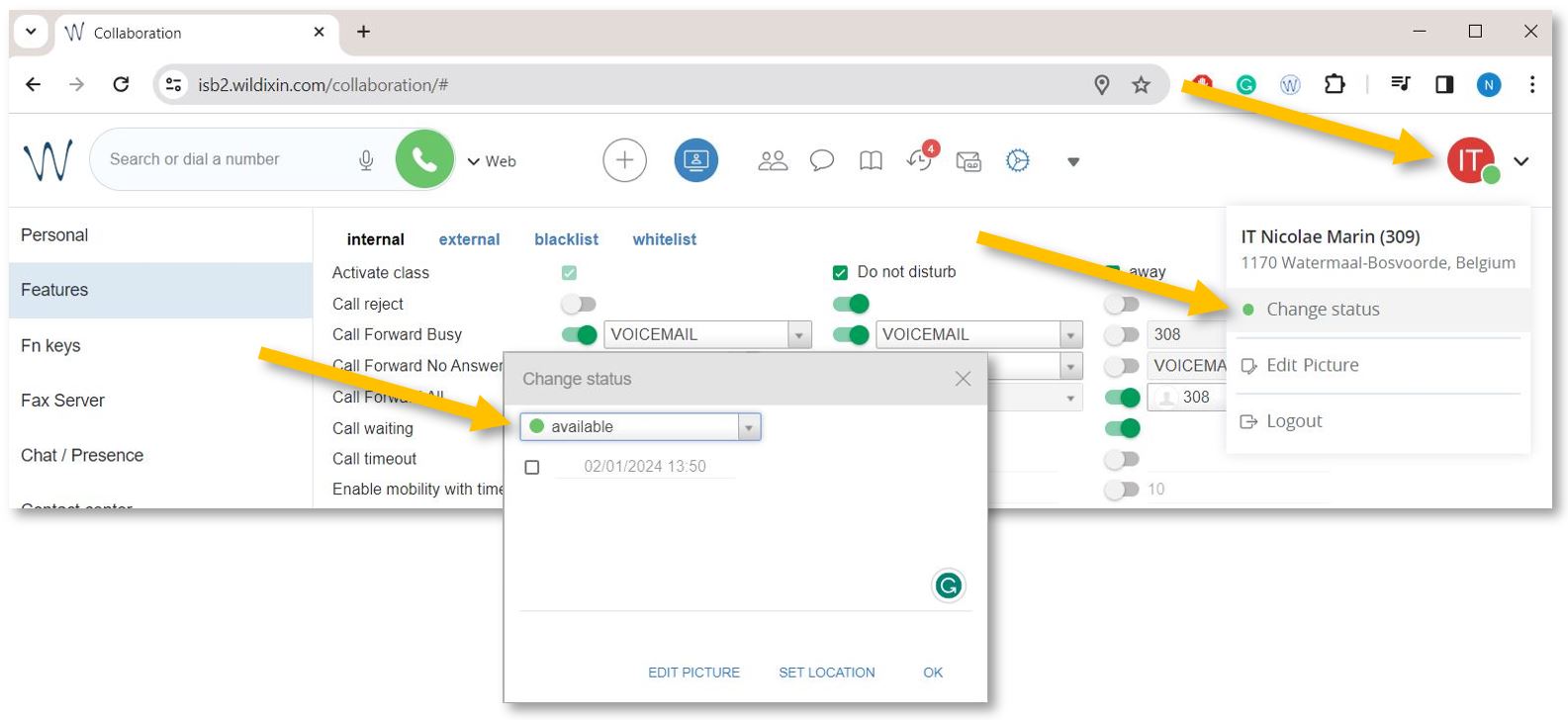
Important step. Change your status to away to activate the new settings.
Click on your account bubble in the upper right and select Change Status. In the pop-up window, change your status to away. Press OK. If you want, you can also set up the end date, when your status and settings will change automatically to available.