
Take Your Google Data With You - for Teachers and Staff
Google Data
IfAfter needed,you it is possible to export all ofleave, your Google data. Your ISB account will be deactivated in December after you leave.deactivated. Your content will be deleted. We cannot help you recover your data once you have departed from ISB.
Before you begin, please become familiar with these guidelines on removing sensitive information.
There are two ways to export your data; please read the Option's intro and choose what works for you.
Option 1 - Copy to new drive
If you would like to copy'move' your data from your ISB Google Drive to a personal Google Drive, the process outlined below is recommended. But first... please make sure that you have enough space on your personal drive. Your personal drive which is limited to 15GB by default.
In your ISB Google Drive:
- Create a folder where you will place all the files you would like to
move.keep.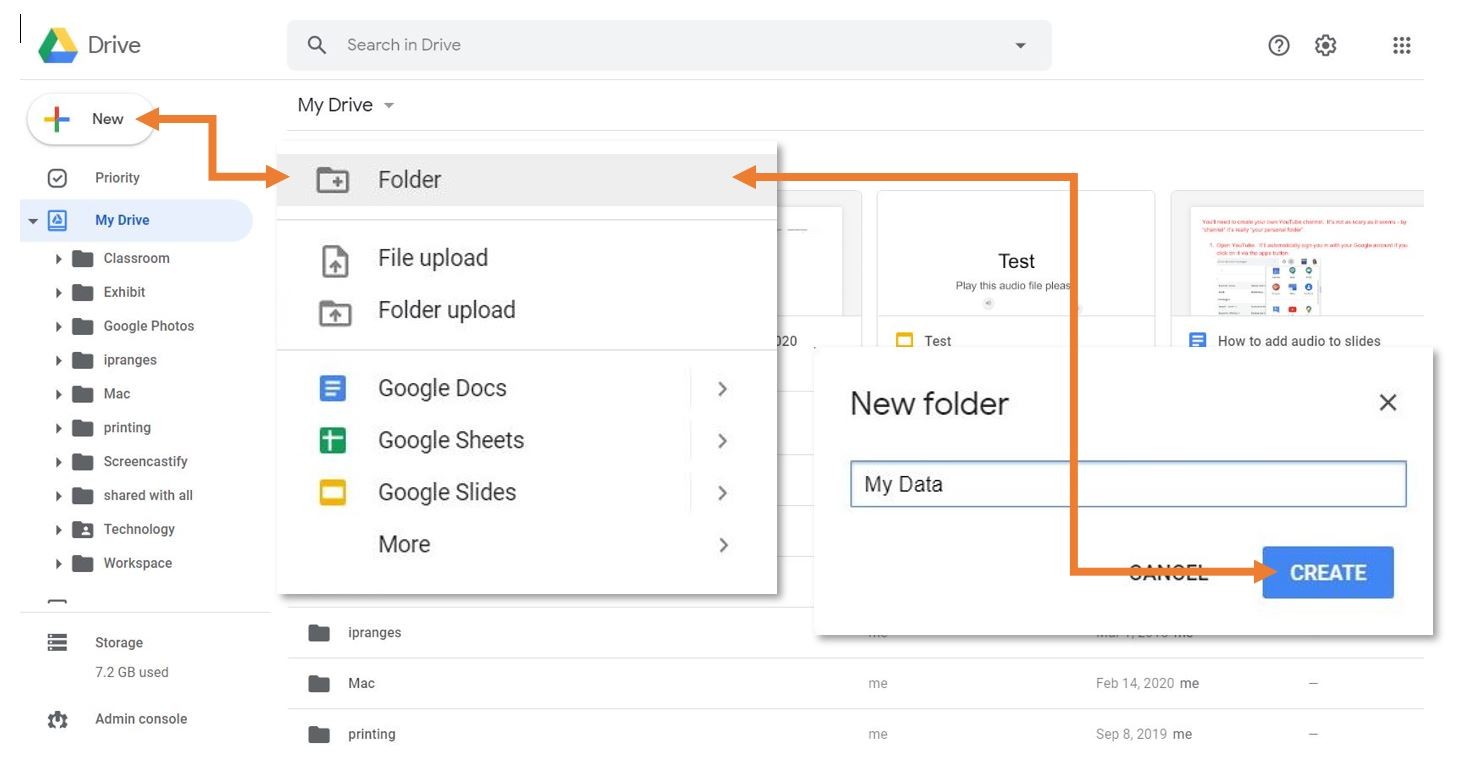
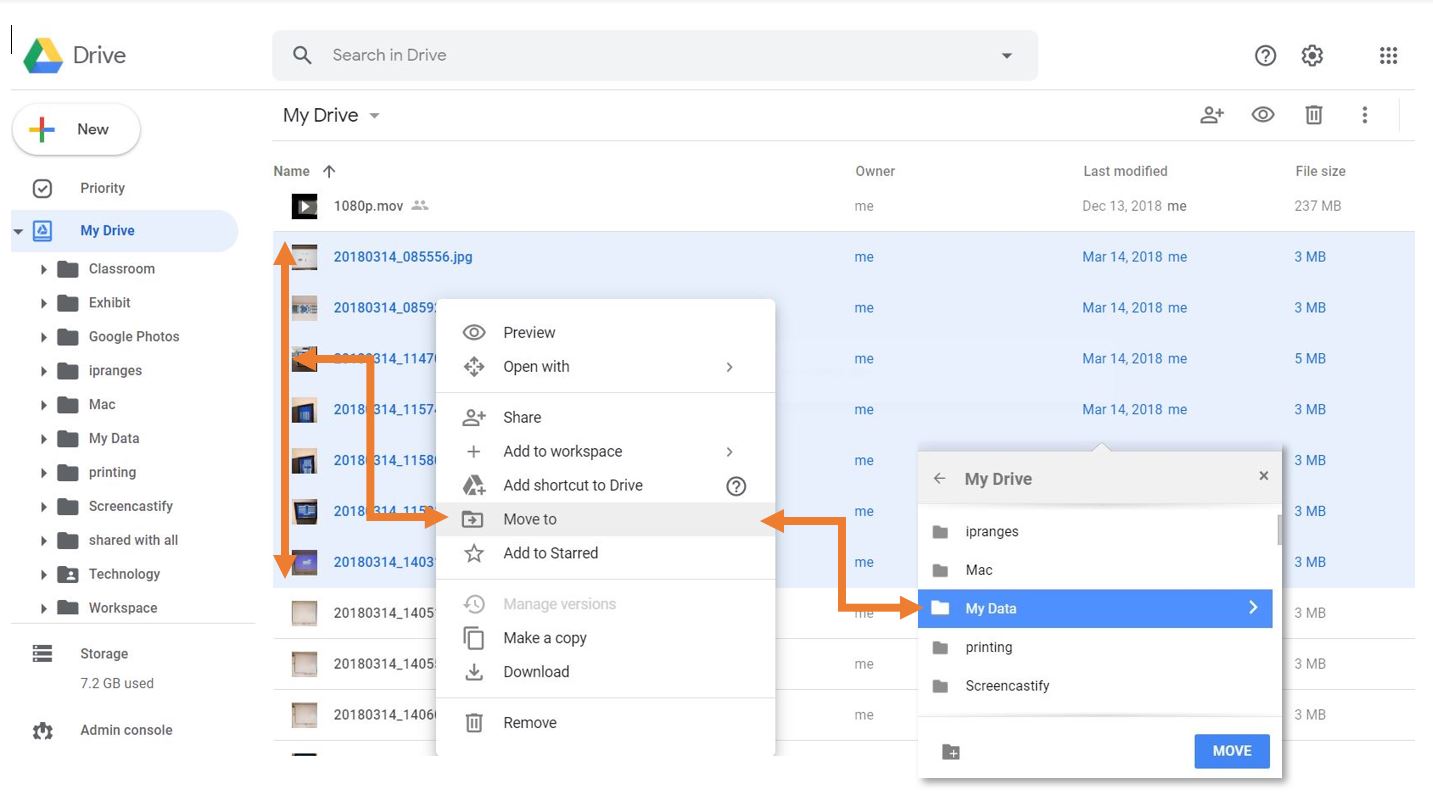
- Move the files and folders that you want to keep into the new folder.
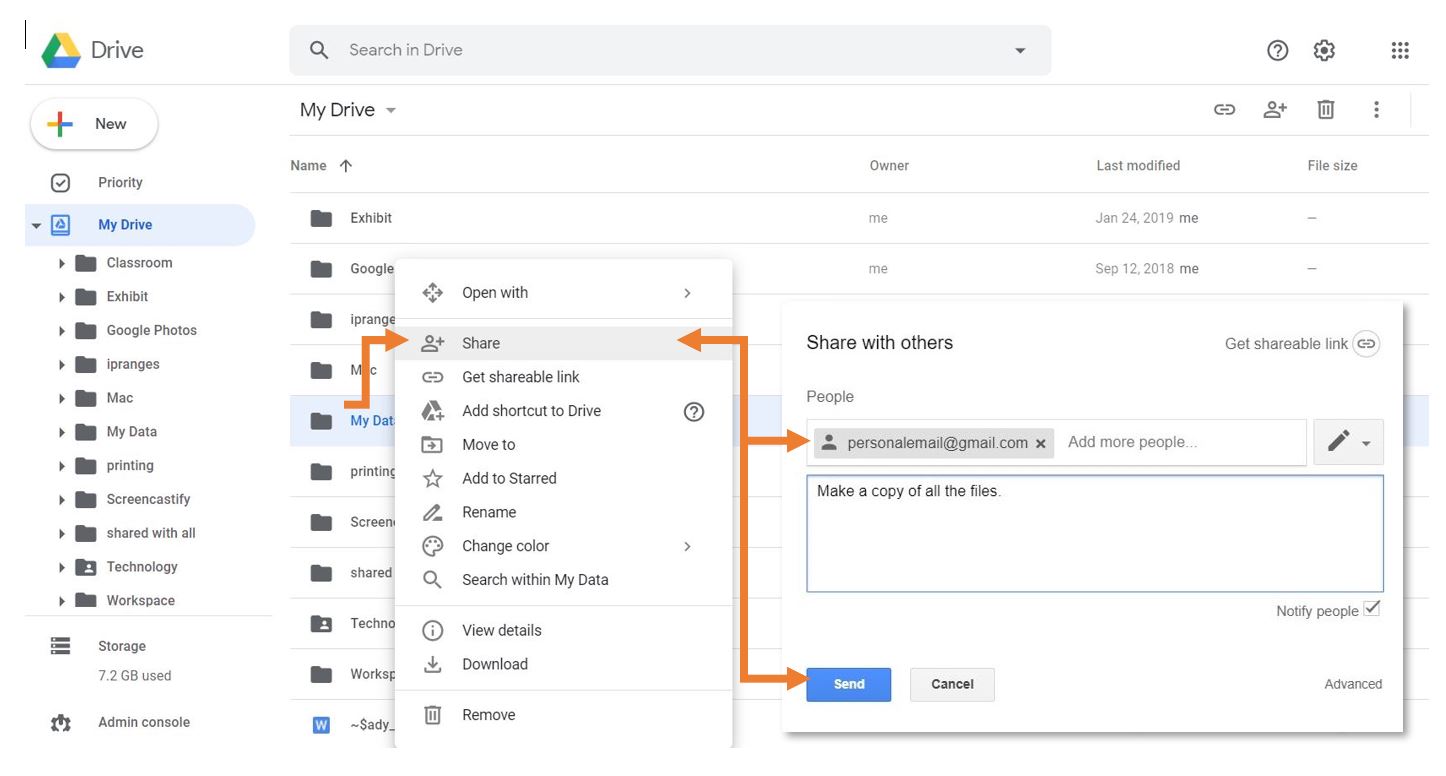
You can add folders as well, but that might makeShare thenextfolderstepsyoumorecreatedtedious.with your personal account.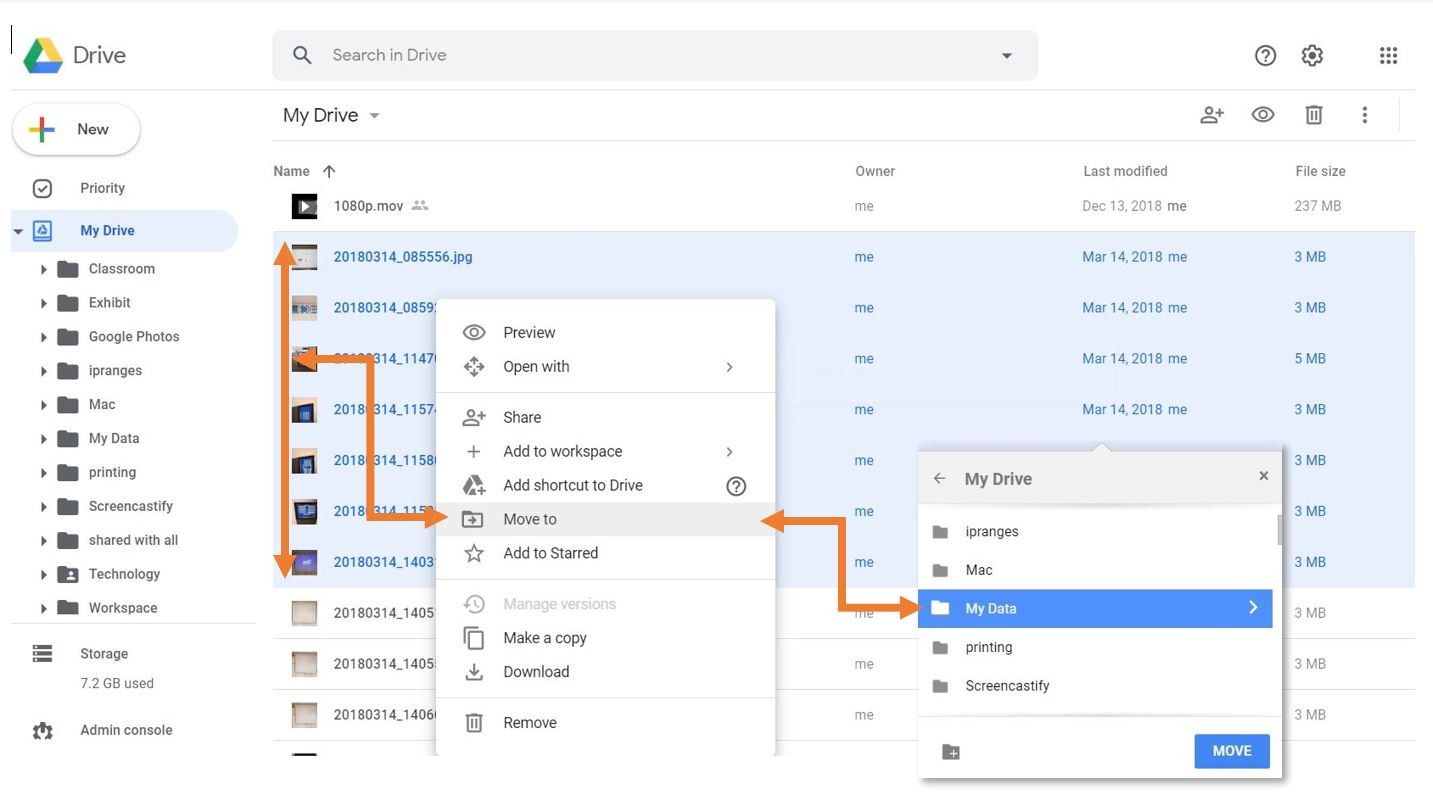
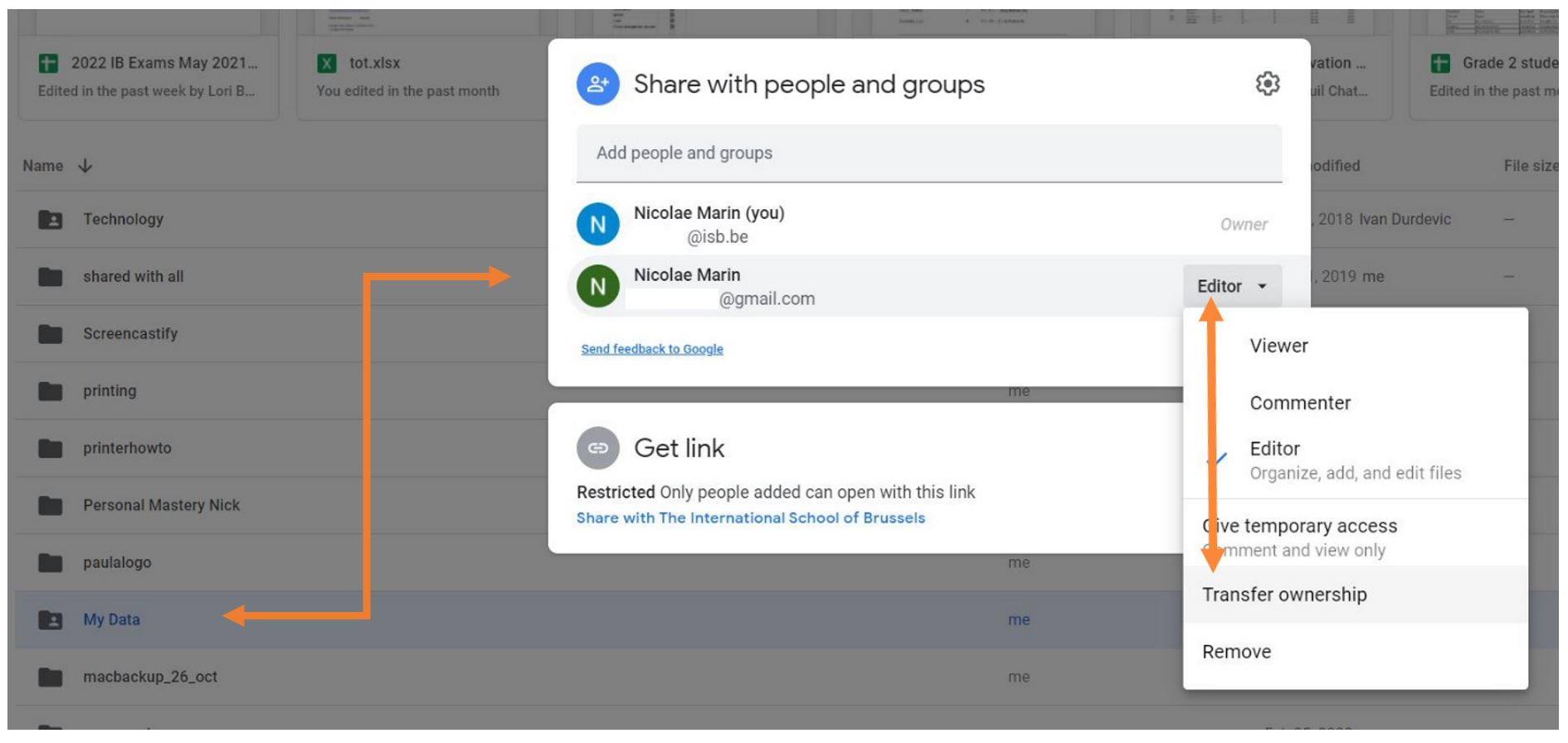
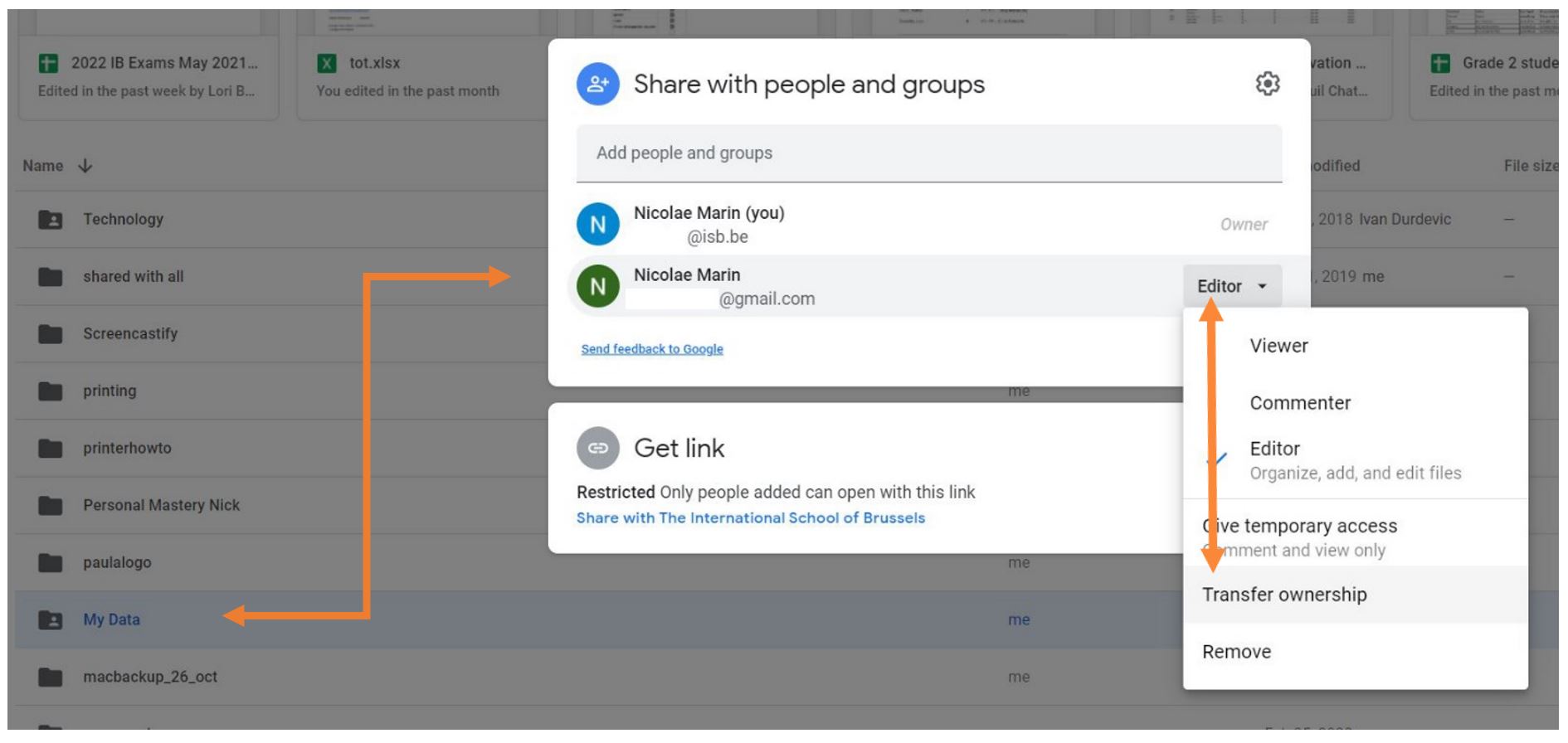
- Share the folder you created with your personal account.
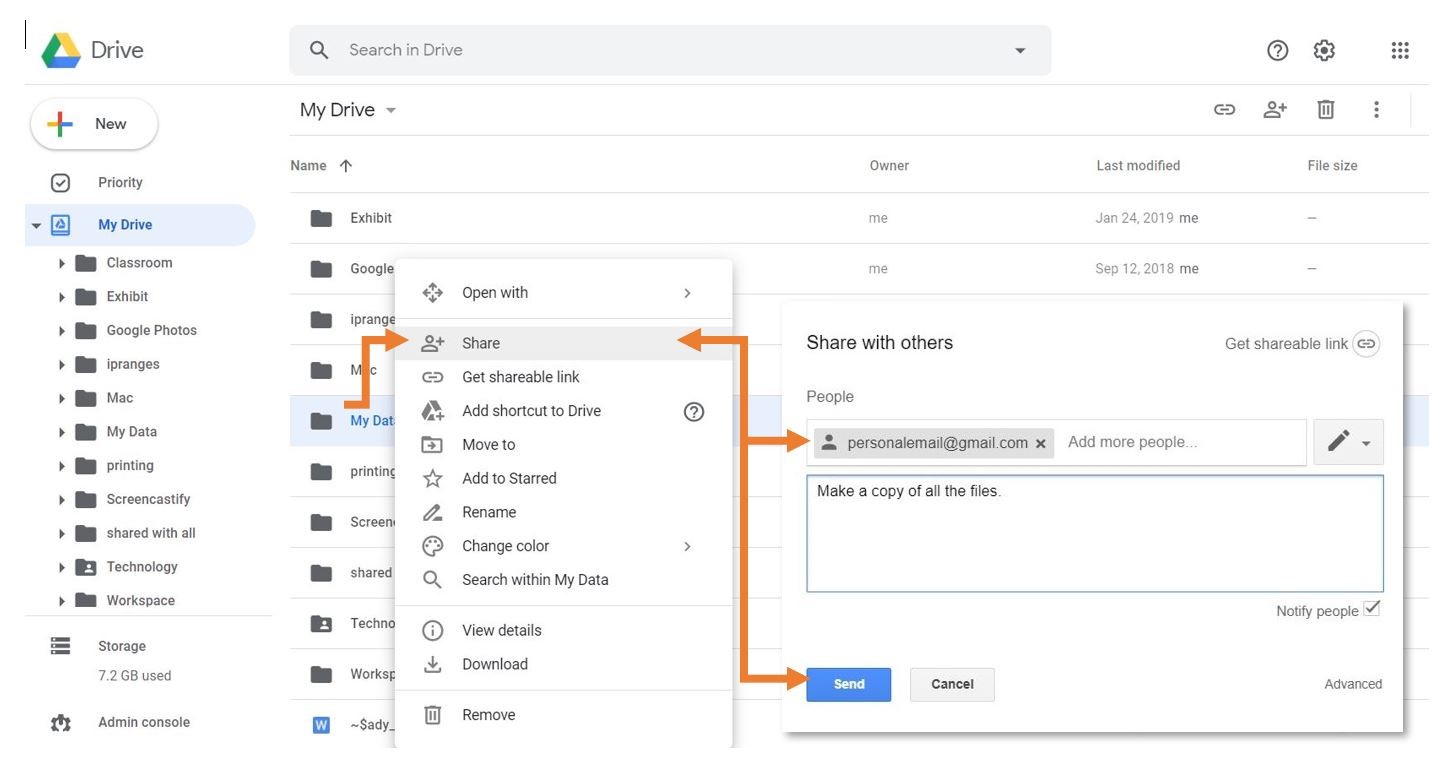
Into your personal Googleaccount Drive:
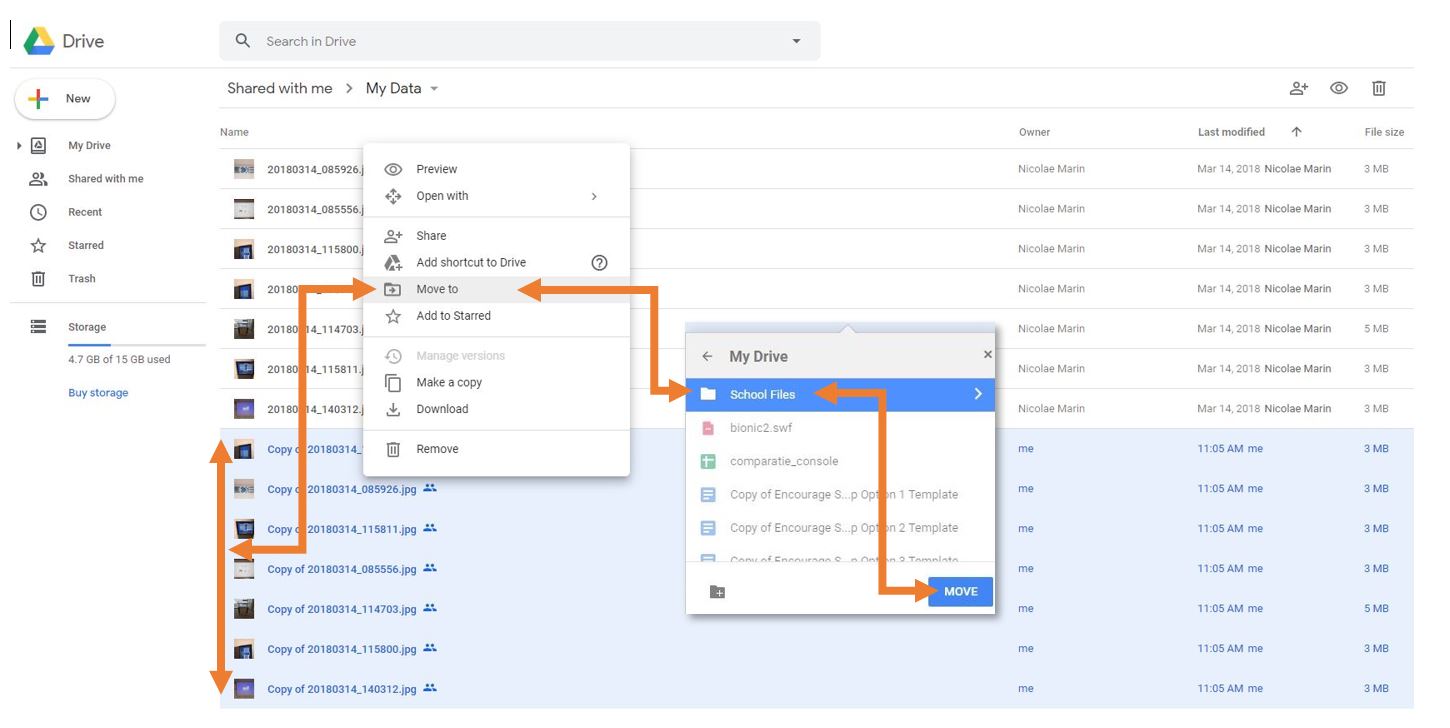
Open(right-click the newly created folderthatandyouselectsharedSharewithoneyourmorepersonaltime,account.Select allexpand thefilesEditorinside the folder (Ctrl+A (select all) OR Shift+left click) *FILES ONLY, NOT FOLDERS*Right-click on one of the files you selectedsubmenu, andchooseselect“MakeTransfera copy.” This will create a copy of all the files. Your personal account will be theownerof the copies. The copies will have the name “Copy of…”ownership.)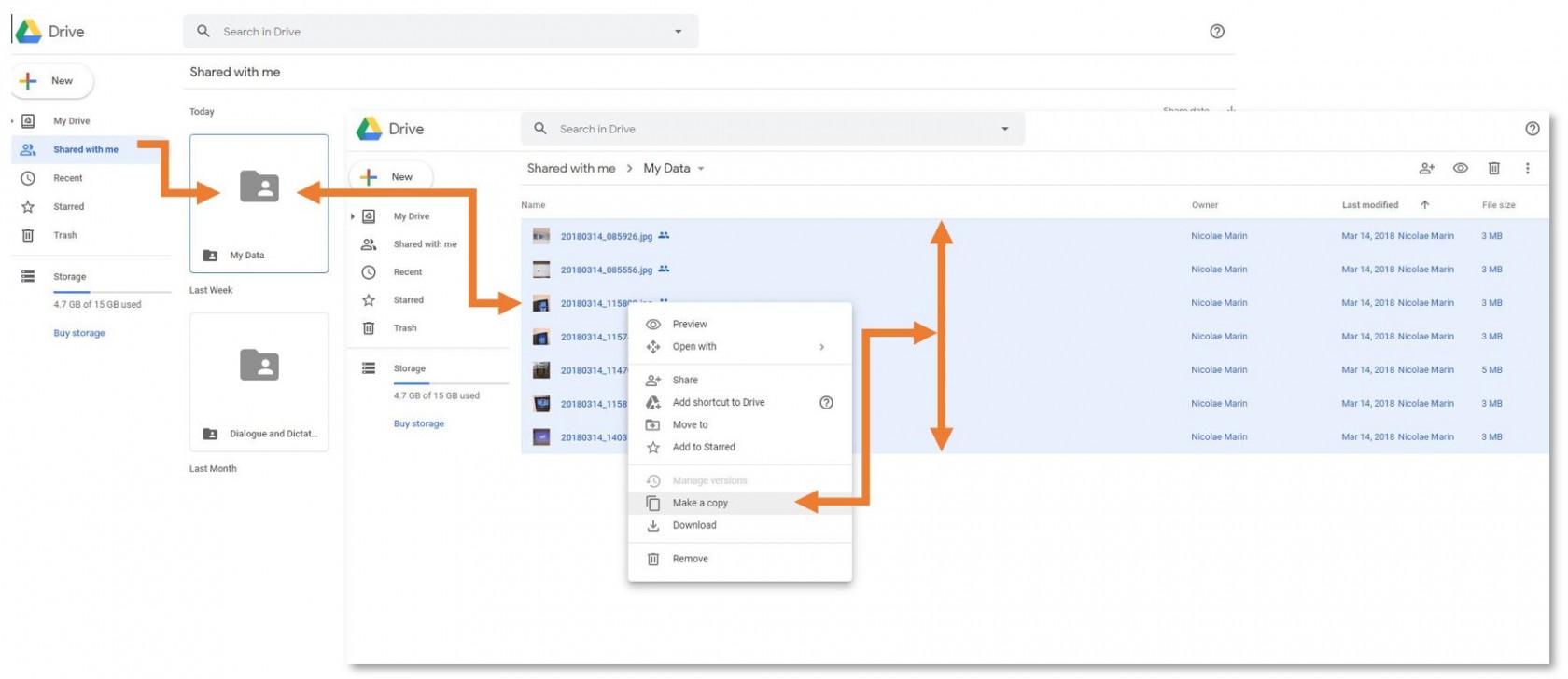
Move the files with the name “Copy of…” to another location on your personal Google Drive.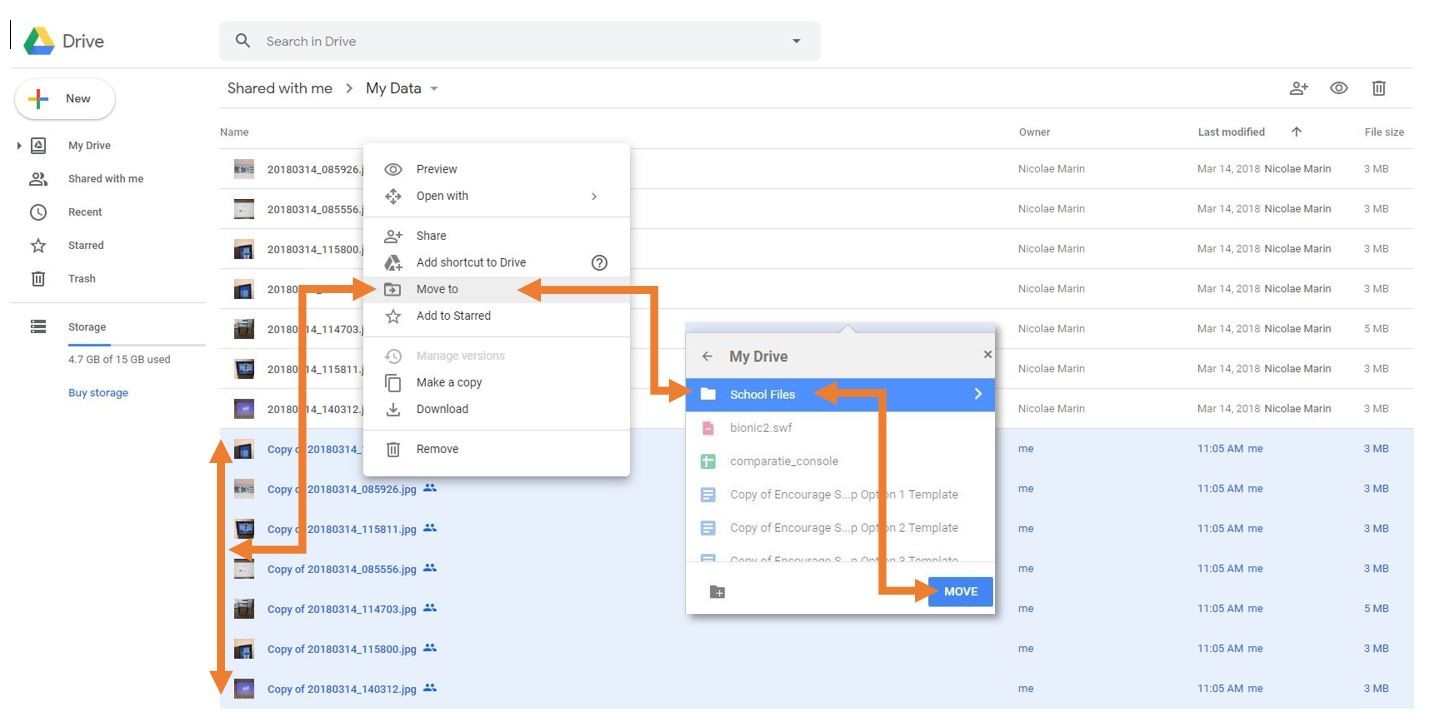
Option 2 - Download your Data:
You can choose to download an archive of your files as well. This process is easier than the copy method, but Google Apps documents (docs, sheets, slides…) will be converted to Microsoft-compatible files (Word, Excel, PowerPoint…).
- In your ISB Google Drive, right-click on a file or folder that you would like to download.
- Select “Download” from the list of options.
- Save the downloaded archive to an external hard drive or a personal cloud storage service (a personal Google Drive, Dropbox, etc.).